
This article helps you choose a compatible camera or video capture device for Dartfish, based on your setup, environment, and performance needs.
- Quick recommendations
- Supported camera and capture devices
- Cable length limitations
- Stream profiles & encoding
- Multiple Feeds
Quick recommendations
| Your setup | Recommended solution |
| Low-cost, portable, single camera | HD Webcam |
| Fixed indoor or outdoor installation | ONVIF IP Camera |
| Professional camera (HDMI/SDI) | AJA U-TAP, Blackmagic UltraStudio Recorder 3G |
| Stadium or broadcast SDI feed | Magewell Ultra Encode HDMI/SDI |
Supported camera and capture devices
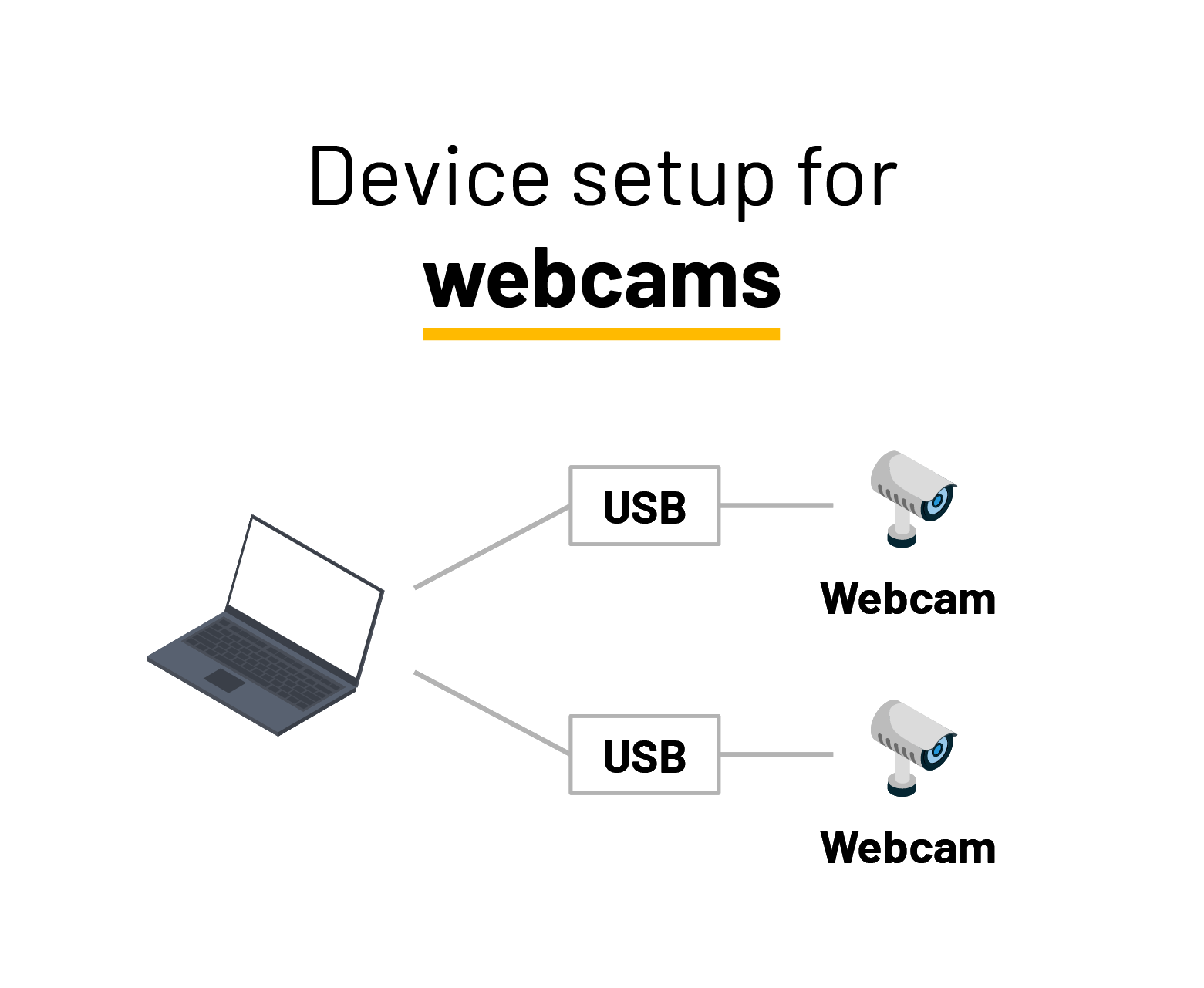
HD Webcams (USB)
Examples: Logitech C922, Microsoft LifeCam, Logitech BRIO
| Best for | Entry-level, education, static camera |
| Max FPS | 30-60 |
| Max resolution | 4K* |
| Multi-camera | Up to 2* |
| Connection | USB 2.0, USB 3.0, USB-C |
| Stream profile | MJPEG |
| Installation | Minimal |
*Camera-dependent
Limitations
Limited digital zoom
Not suitable for high-speed motion analysis
Some models require manual driver selection on Windows
Set-Up
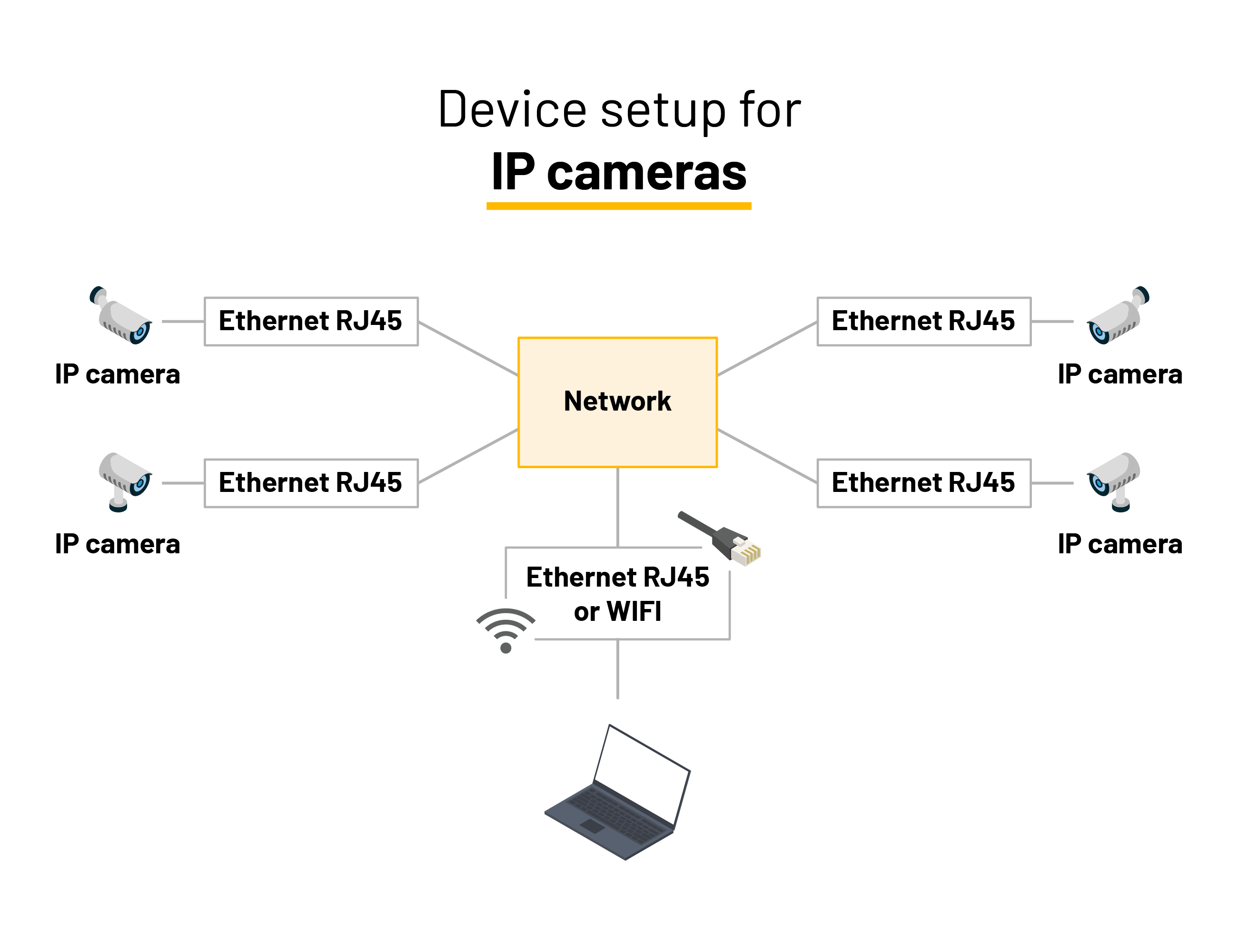
IP Cameras (ONVIF / RTSP)
| Best for | Fixed multi-camera setups |
| Max FPS | Up to 120* |
| Max resolution | Up to 2160p* |
| Multi-camera | Up to 4 |
| Connection | Ethernet (RJ45) |
| Stream profile | H.264 |
| Installation | Advanced |
*Camera-dependent
Limitations
Requires network configuration
Not mobile
Set-Up
HDMI / SDI Capture Devices (Converters)
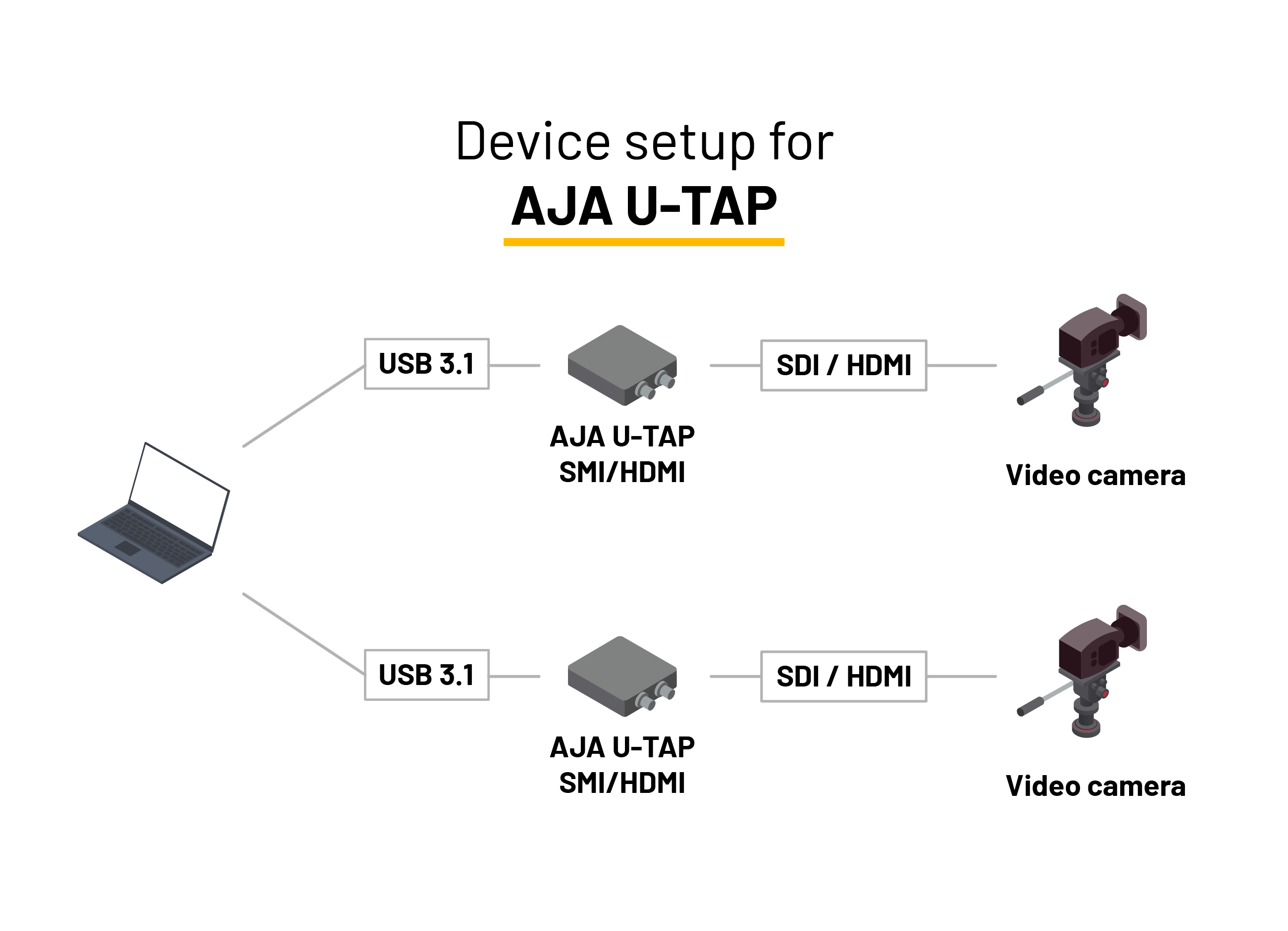
AJA U-TAP (HDMI or SDI)
| Best for | Professional cameras, High-quality video capture, Plug & play |
| Input | HDMI or SDI |
| Max FPS | 60 |
| Max resolution | 1080p |
| Multi-camera | Up to 2 |
| Connection | USB 3.1 |
| Stream profile | Uncompressed |
| Installation | Minimal |
Limitations
Requires sufficient system performance due to uncompressed video
No external power supply required
Set-up
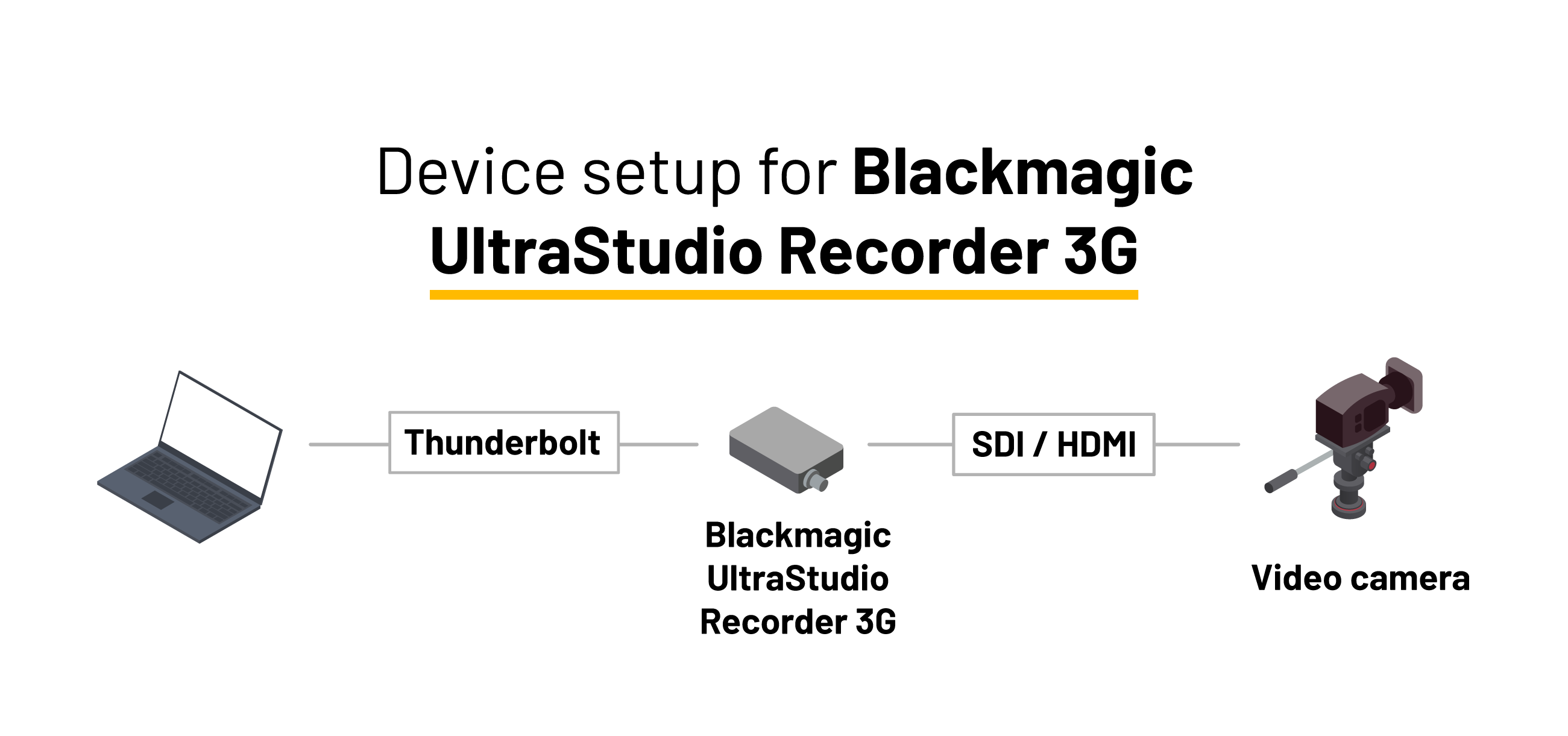
Blackmagic Ultrastudio Recorder 3G
| Best for | Professional cameras, High-quality video capture, Low-cost |
| Input | HDMI or SDI |
| Max FPS | 60 |
| Max resolution | 1080p |
| Multi-camera | Up to 2* |
| Connection | Thunderbolt 3 or 4 |
| Stream profile | Uncompressed |
| Installation | Minimal |
*2 thunderbolt ports required.
Limitations
Requires sufficient system performance due to uncompressed video
Requires a true thunderbolt 3 or 4 connection.
Requires Blackmagic drivers up-to-date.
Set-up
Magewell Ultra Encode HDMI/SDI
| Best for | Dartfish Live Collaboration, Stadium environments, Multi-camera setups |
| Input | HDMI or SDI |
| Max FPS | 60 |
| Max resolution | 1080p |
| Multi-camera | Up to 4 |
| Connection | Ethernet (RJ45) |
| Stream profile | H.264 |
| Installation | Advanced |
Limitations
- Requires network configurations
Set-Up (DLC)
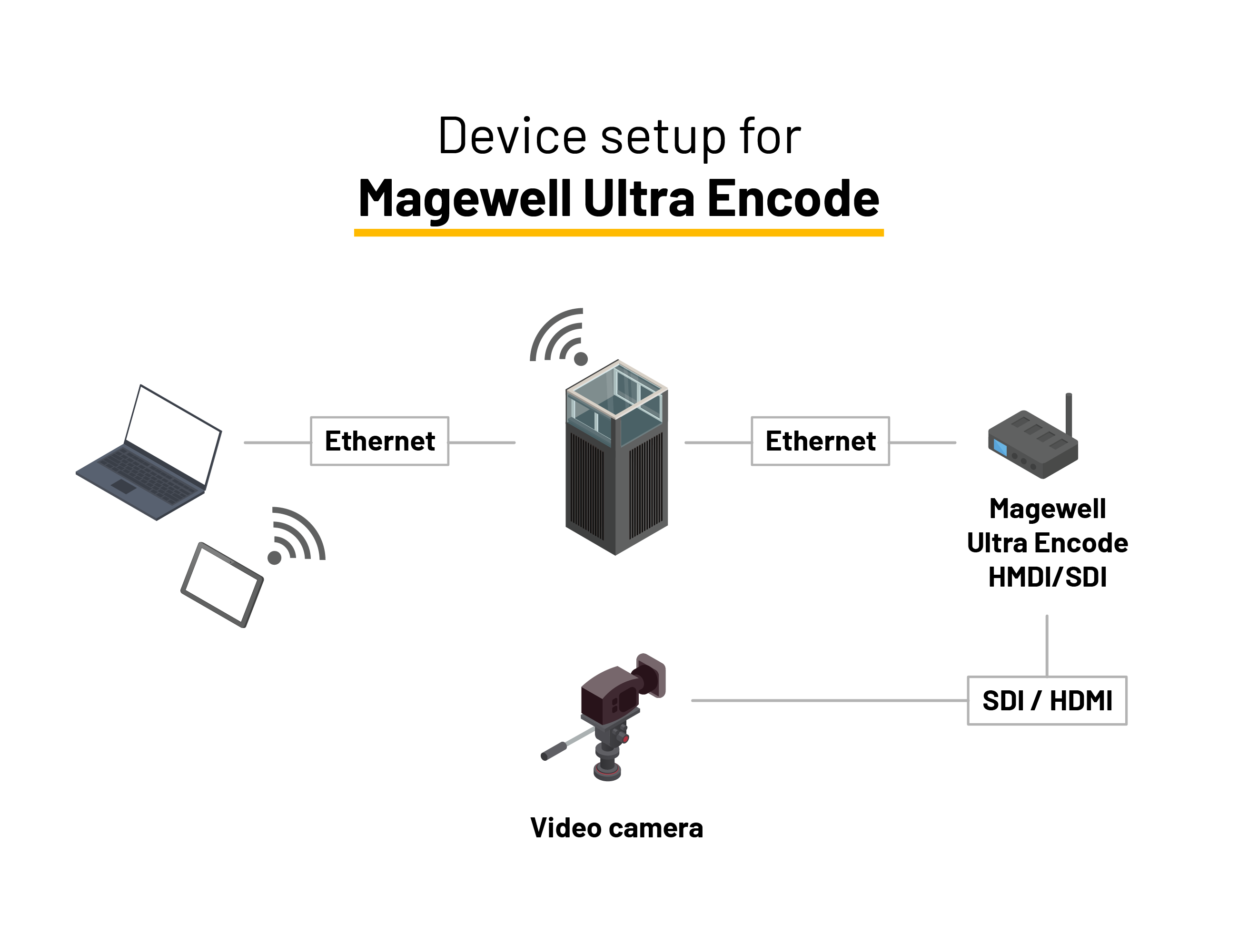
Cable length limitations
Exceeding these limits may cause signal loss or instability.
| Connection type | Maximum length |
| USB | 5 m |
| HDMI | 5 m |
| SDI | 100 m |
| Ethernet (IP Cameras) | 100 m |
Stream profiles & encoding
Dartfish Live records in H.264
Other stream profiles (e.g. MJPEG, uncompressed) are automatically converted to H.264 during recording
Higher-quality inputs require more system resources
Multiple Feeds
A PC meeting our recommended system requirements is required for multi-angle capture.