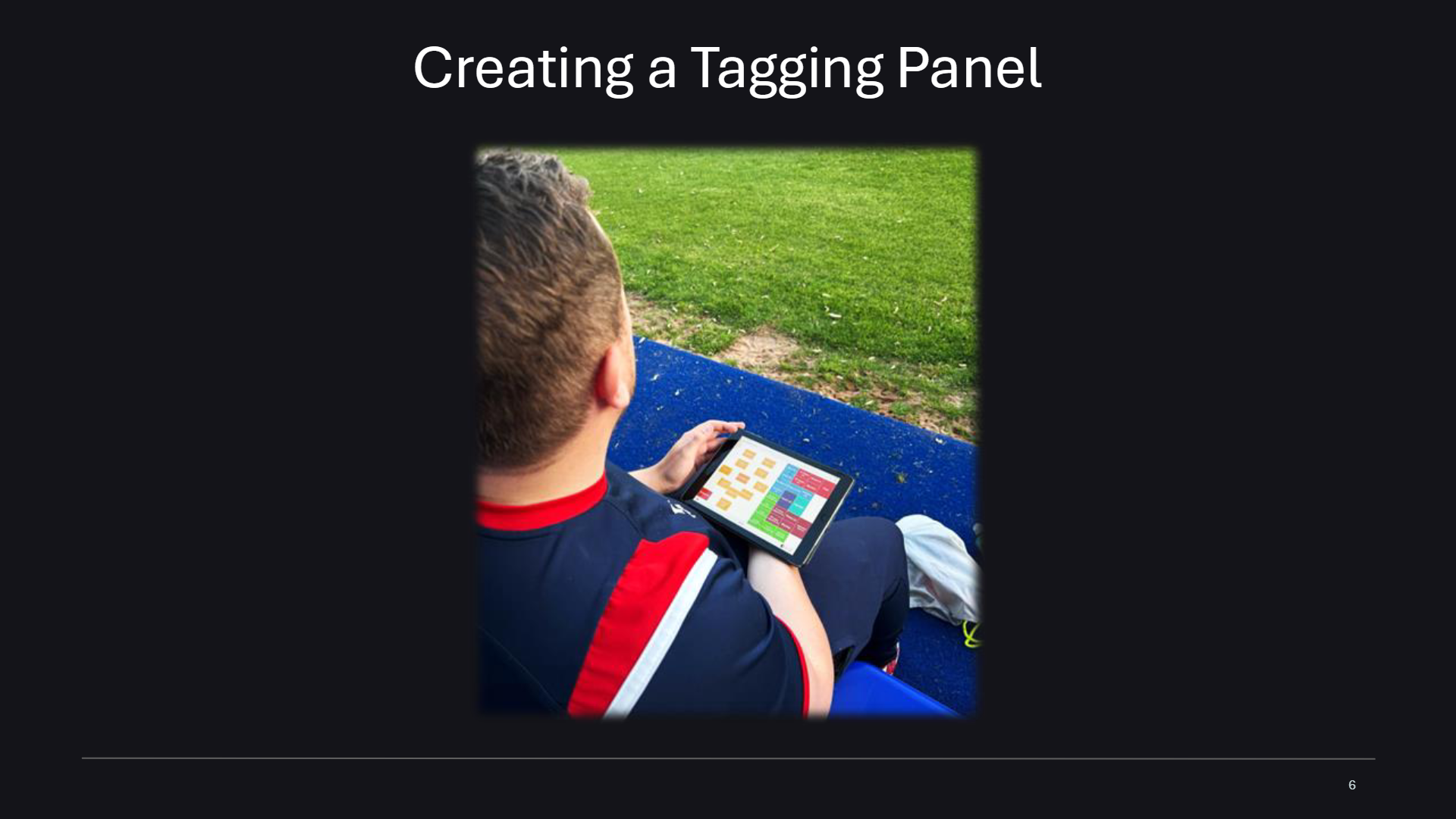
Learn how to build and customise a tagging panel that meets your specific analysis requirements.
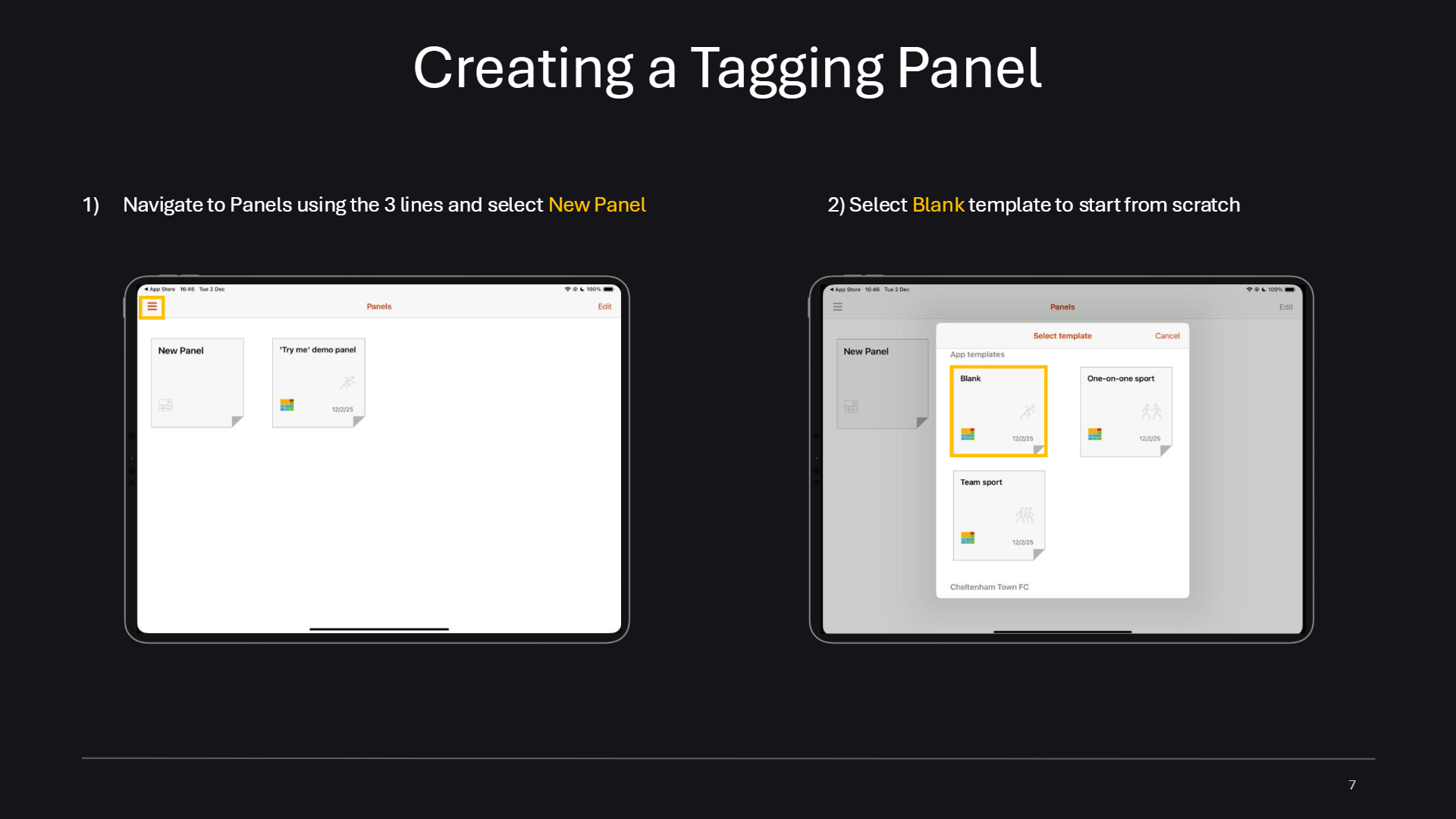
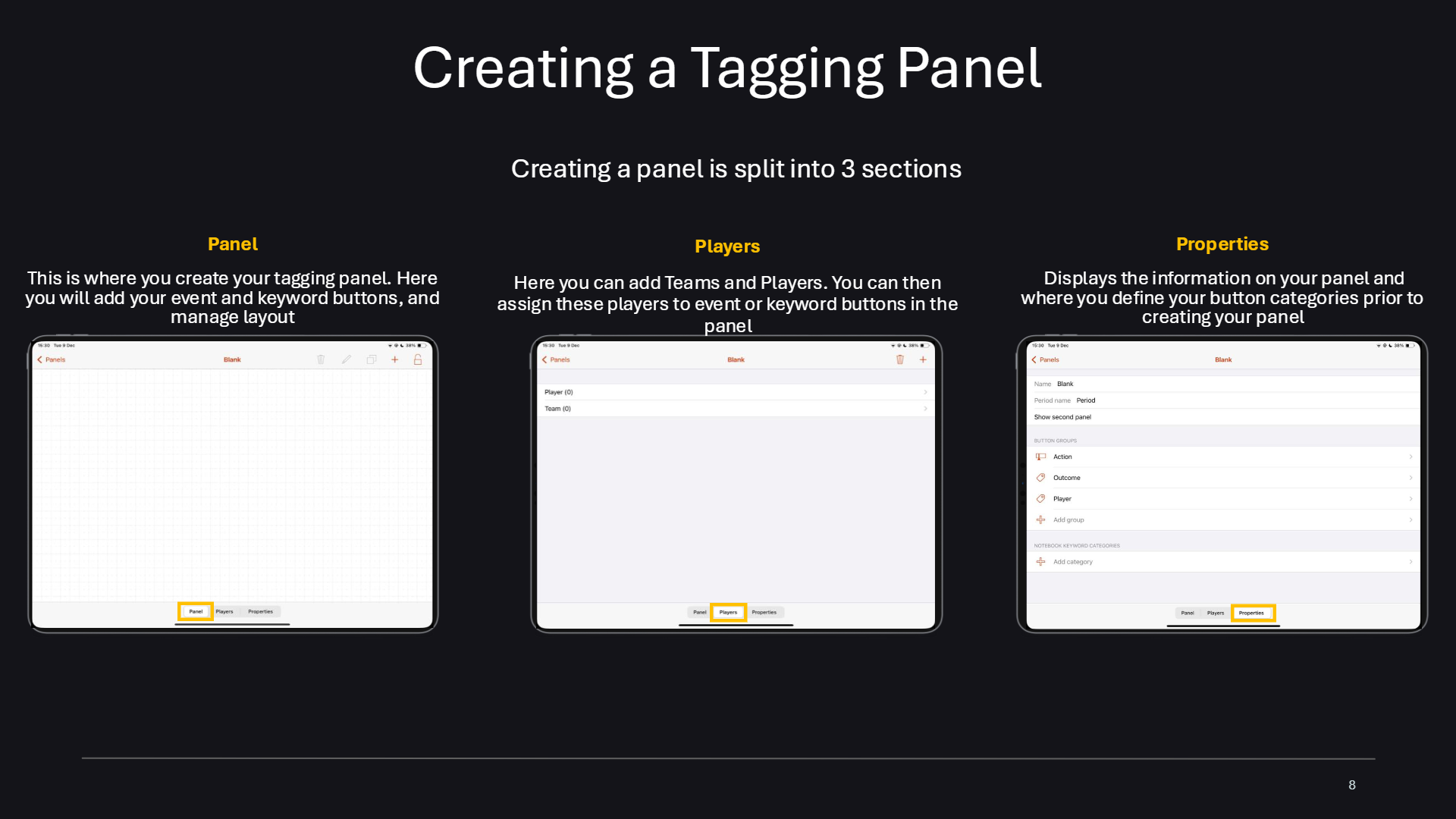
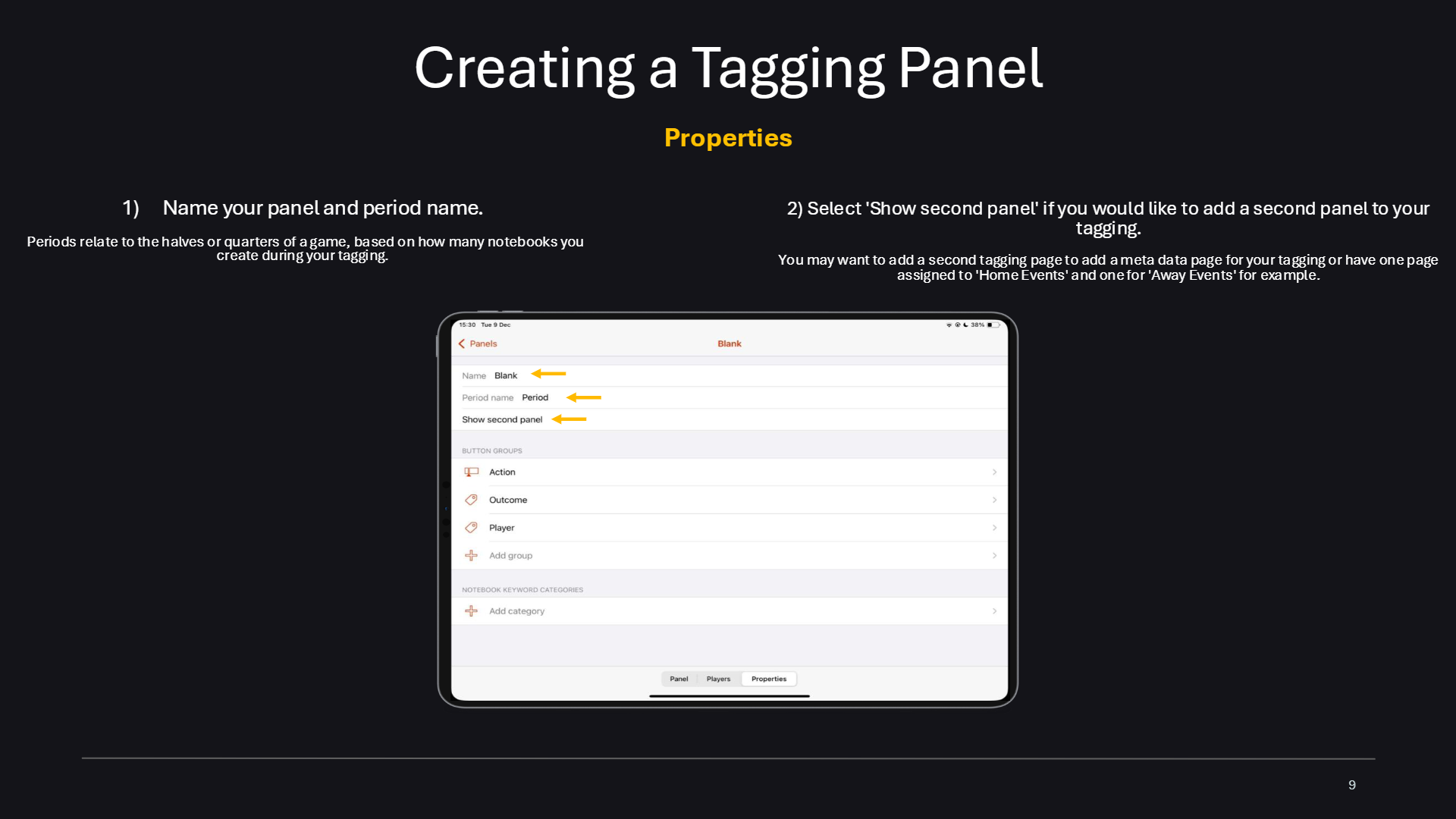
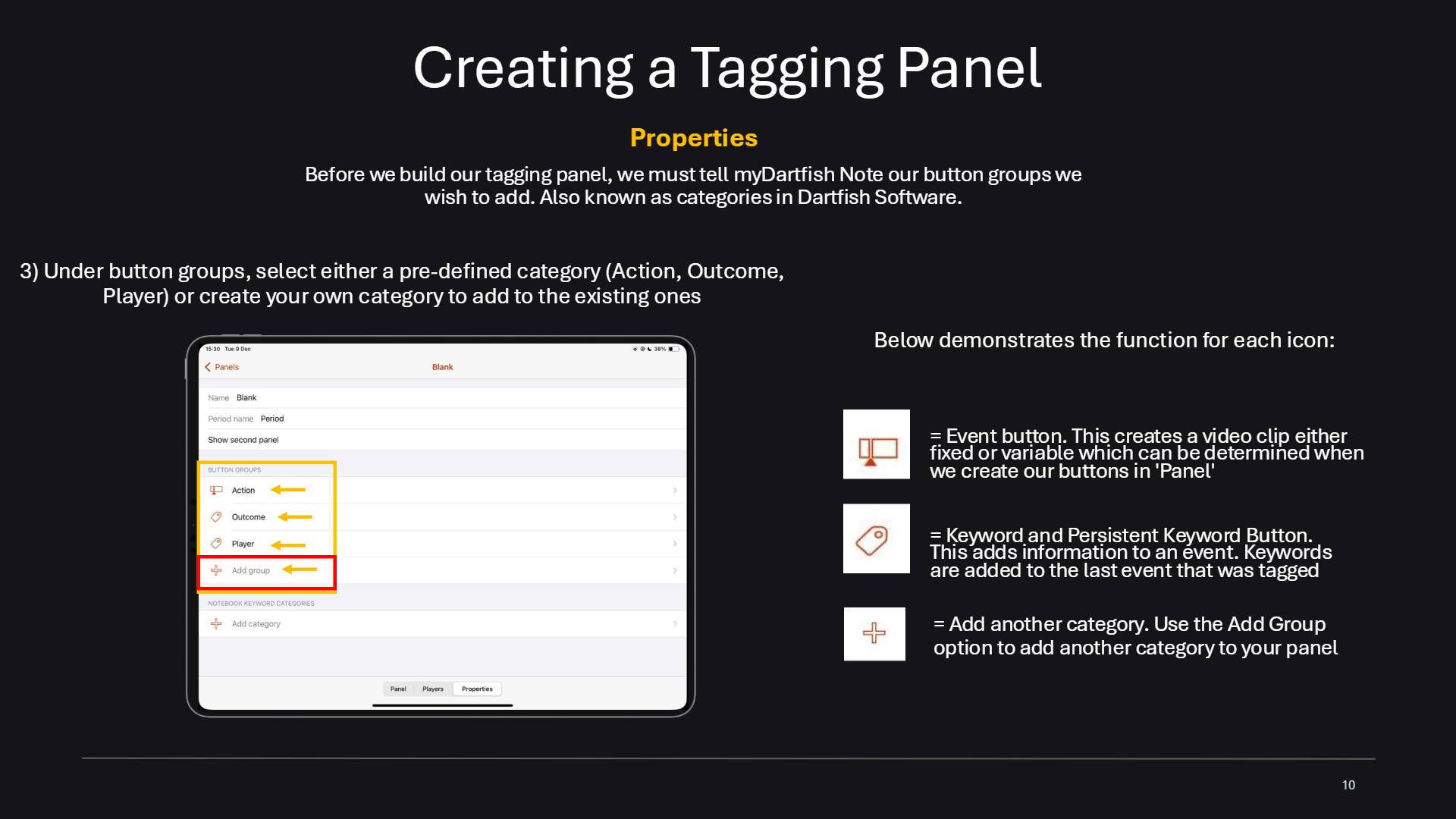
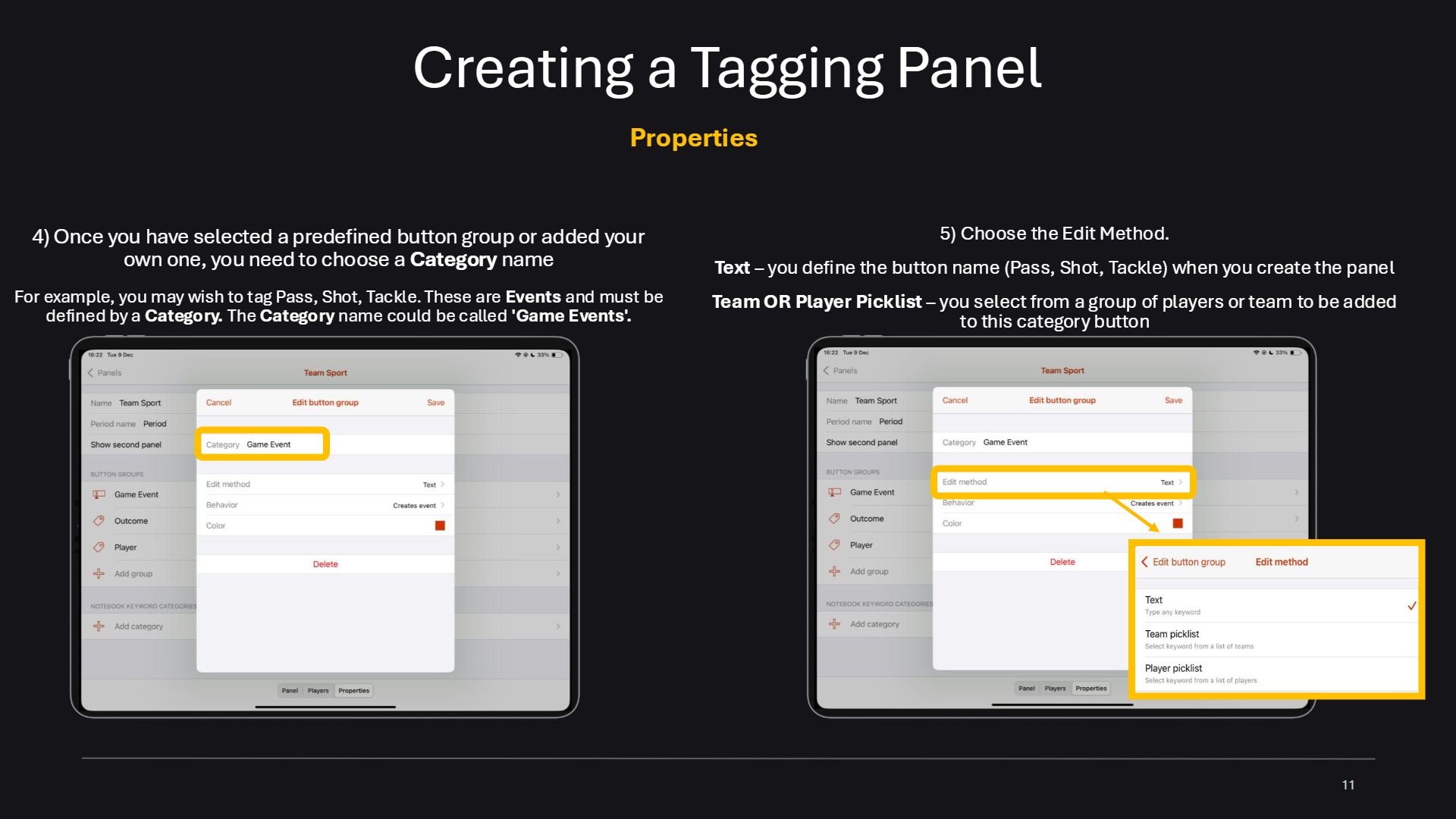
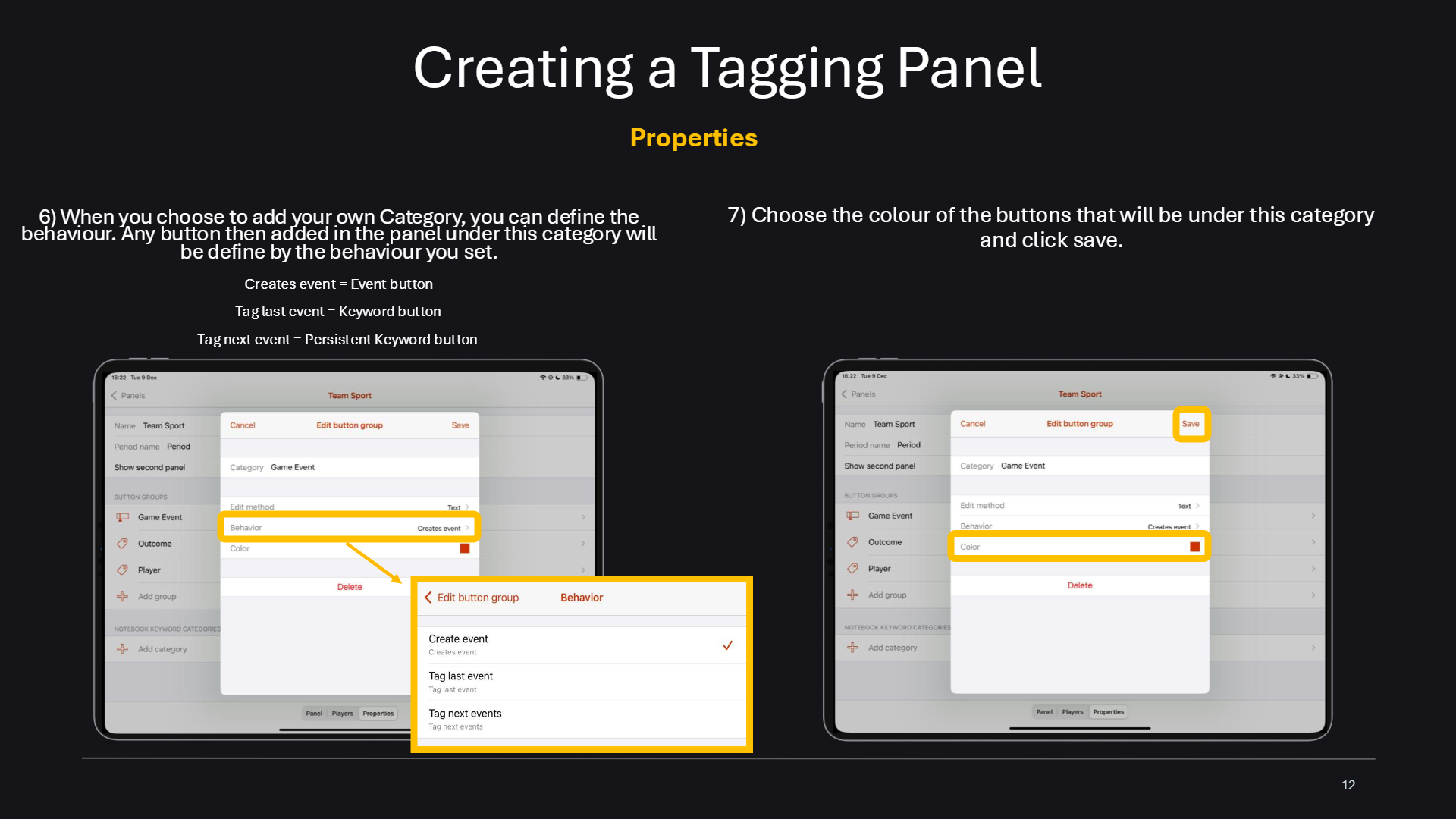
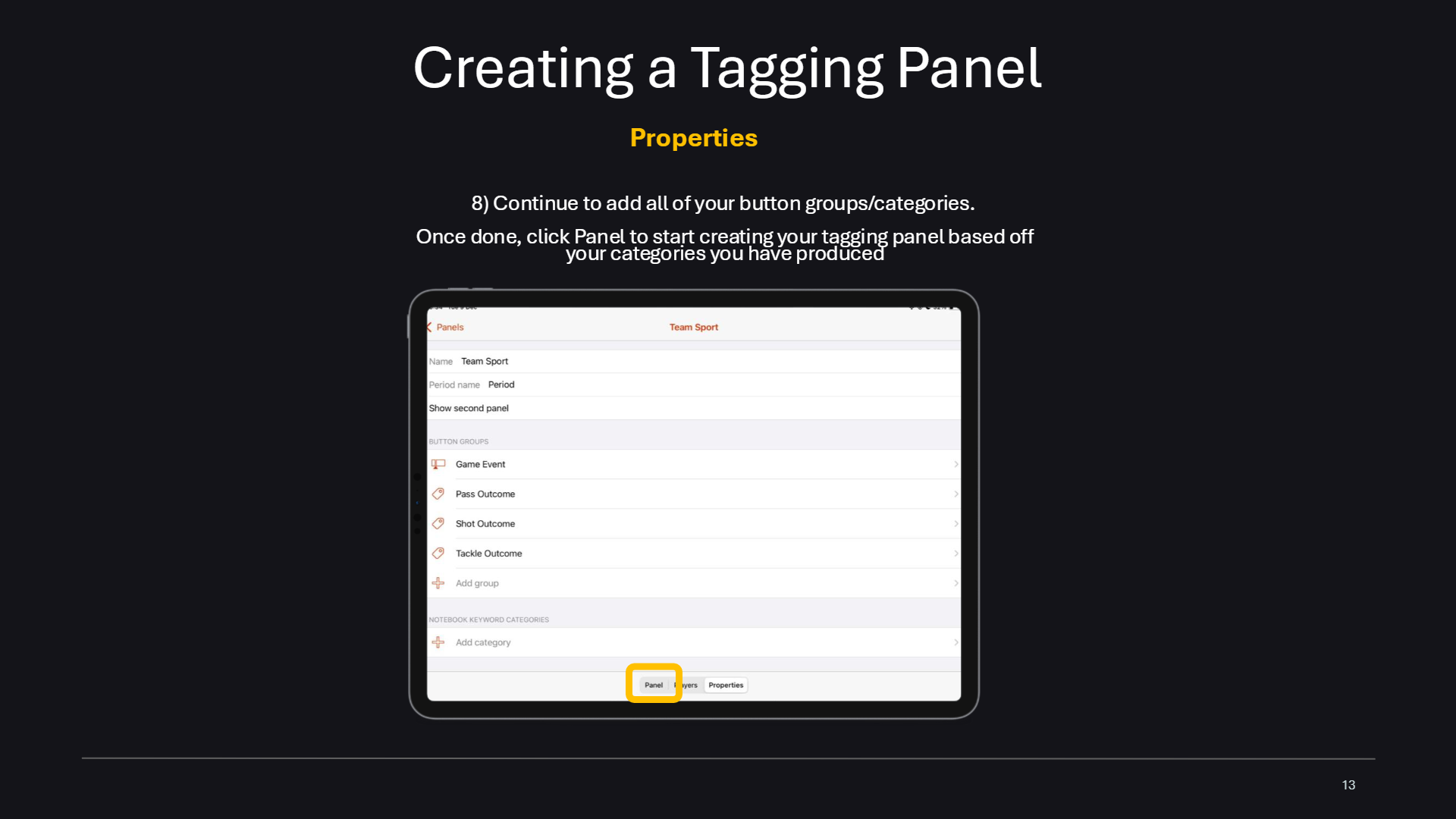
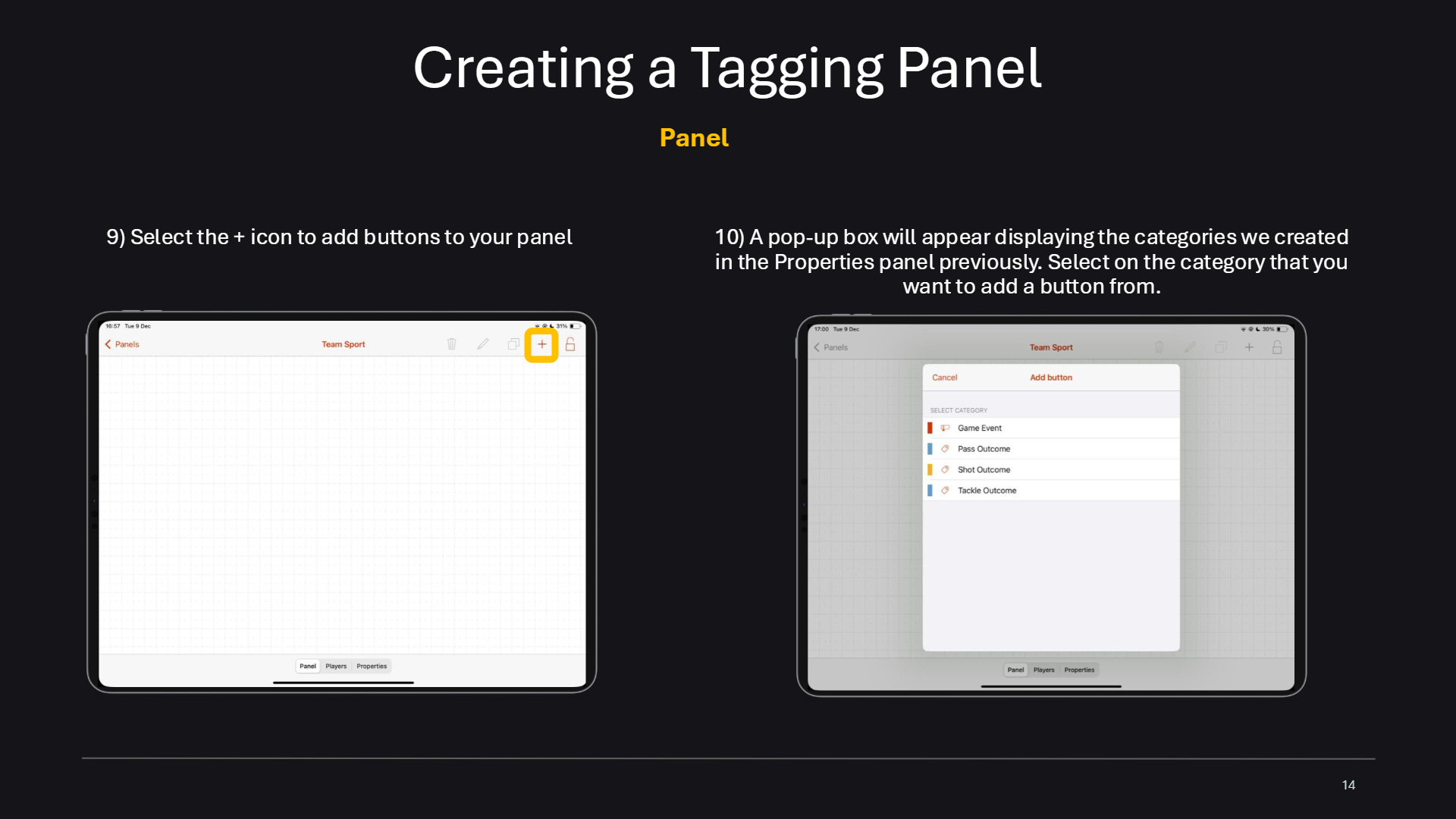
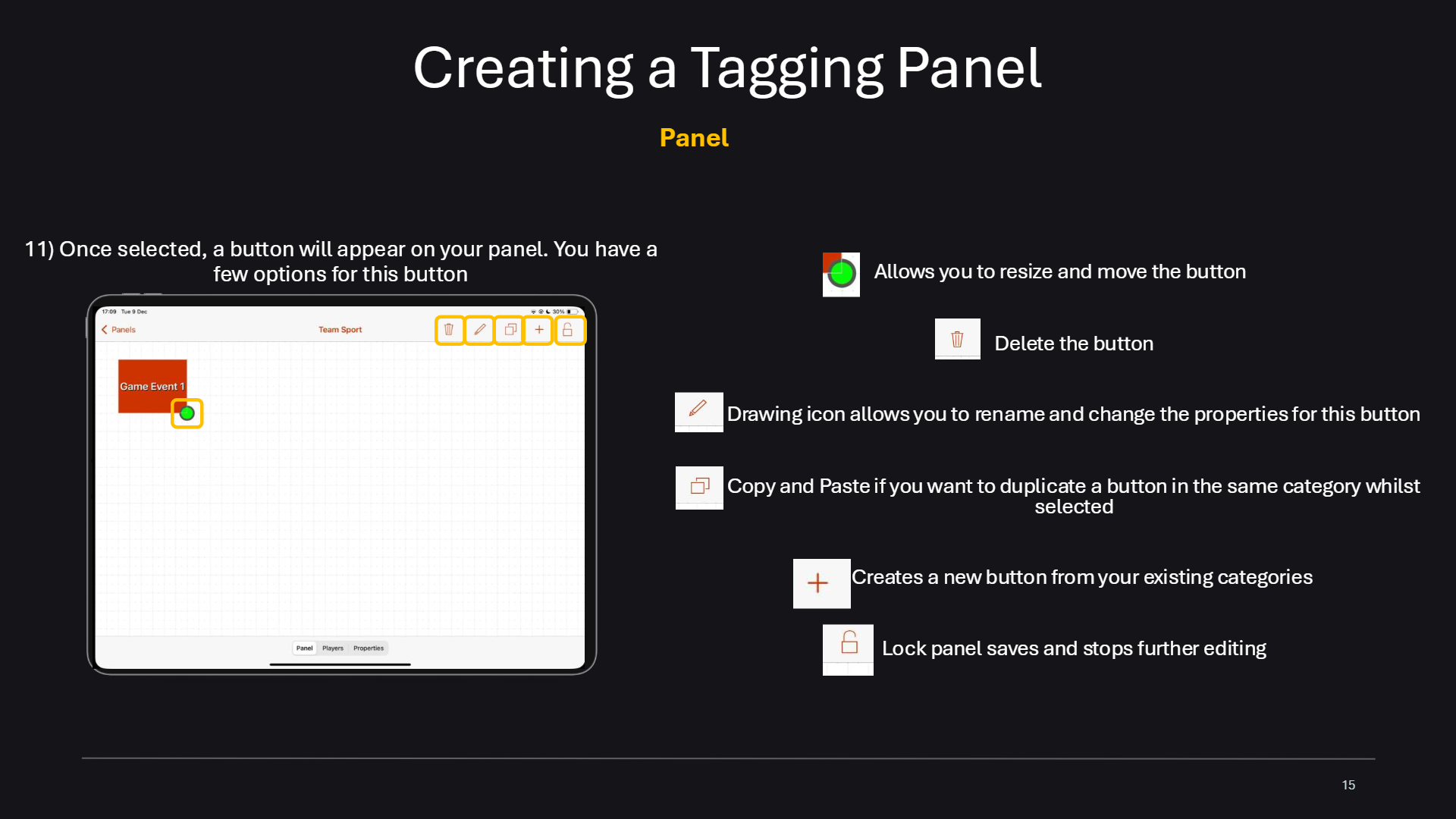
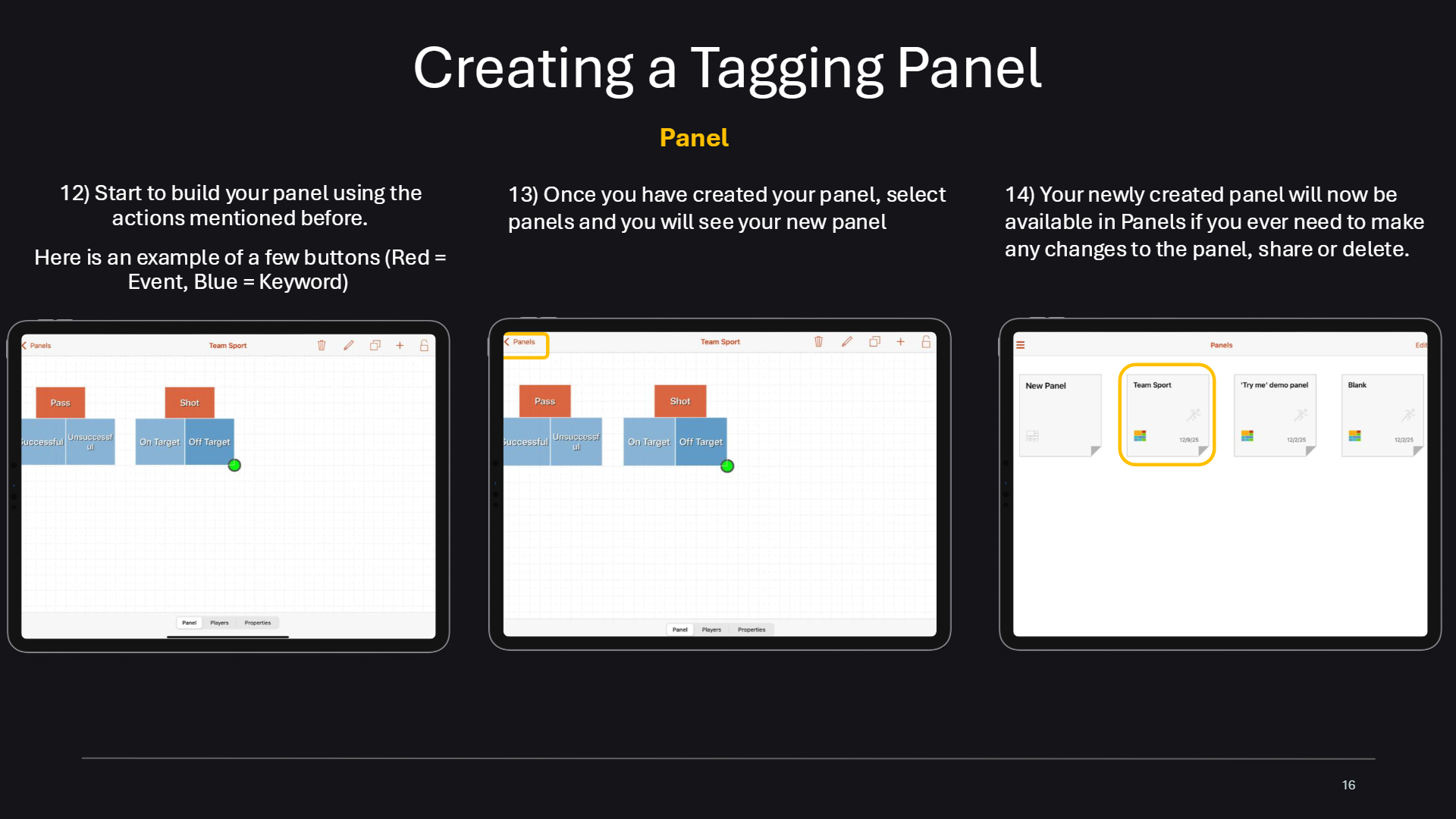
Creating a Tagging Panel – titleSteps 1 and 2: open Panels from the 3 lines menu, select New Panel, then the Blank templateA panel is built in 3 sections: Panel (the buttons), Players (teams and players) and Properties (panel settings)Properties, steps 1 and 2: name your panel and period, and choose whether to show a second panelProperties, step 3: under button groups, choose a predefined group or add your own (categories)Properties, steps 4 and 5: name the category and choose the edit method, for example TextProperties, steps 6 and 7: define the category behaviour and choose the colour of its buttonsProperties, step 8: add all your button groups, then click Panel to start building the panelPanel, steps 9 and 10: tap + to add a button and choose its categoryPanel, step 11: resize, move, delete or rename each buttonPanel, steps 12 to 14: build your panel, select Panels, and your new panel is available