Learn how to add keywords and classifications to enhance the detail and accuracy of your analysis.
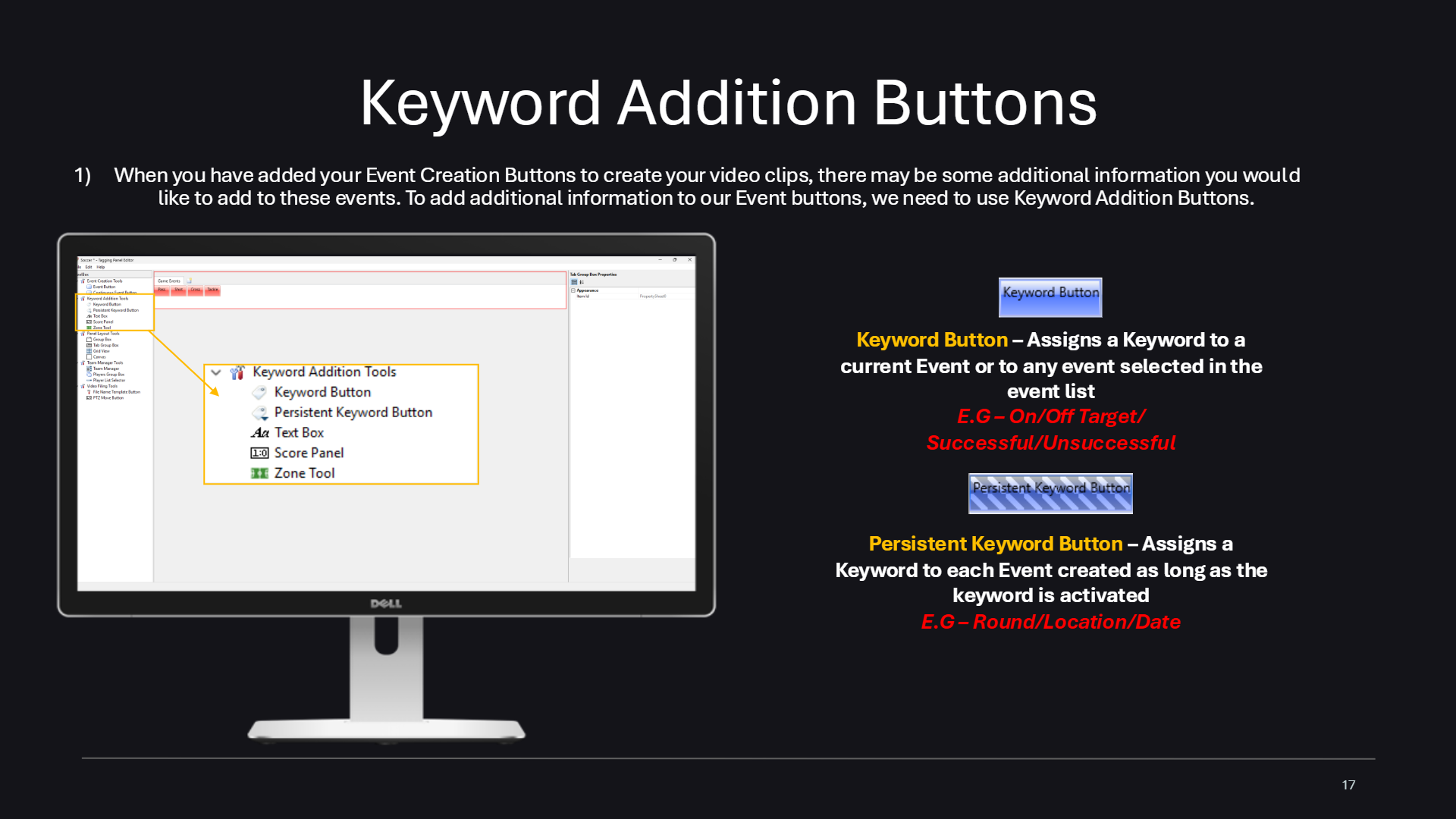
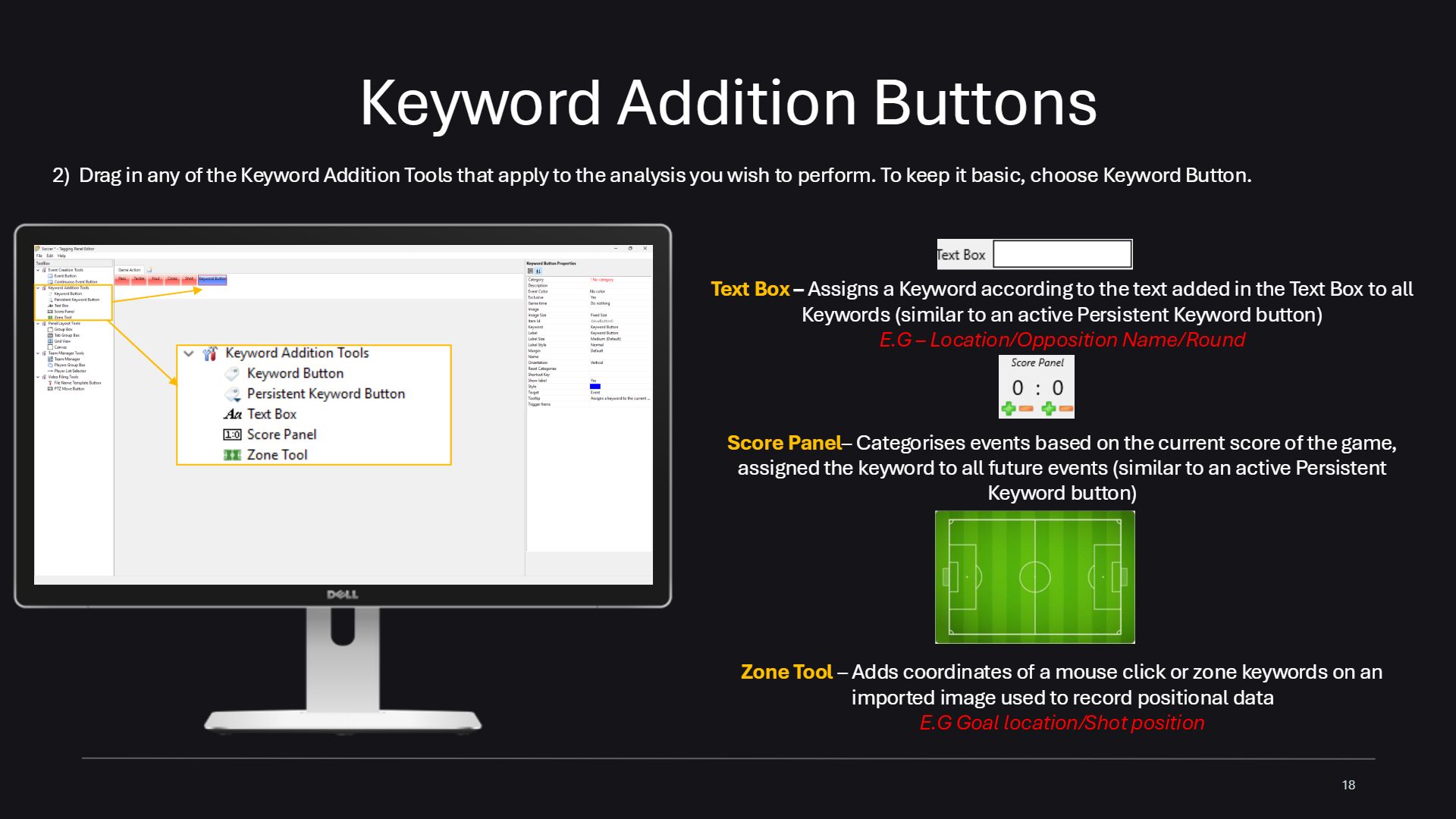
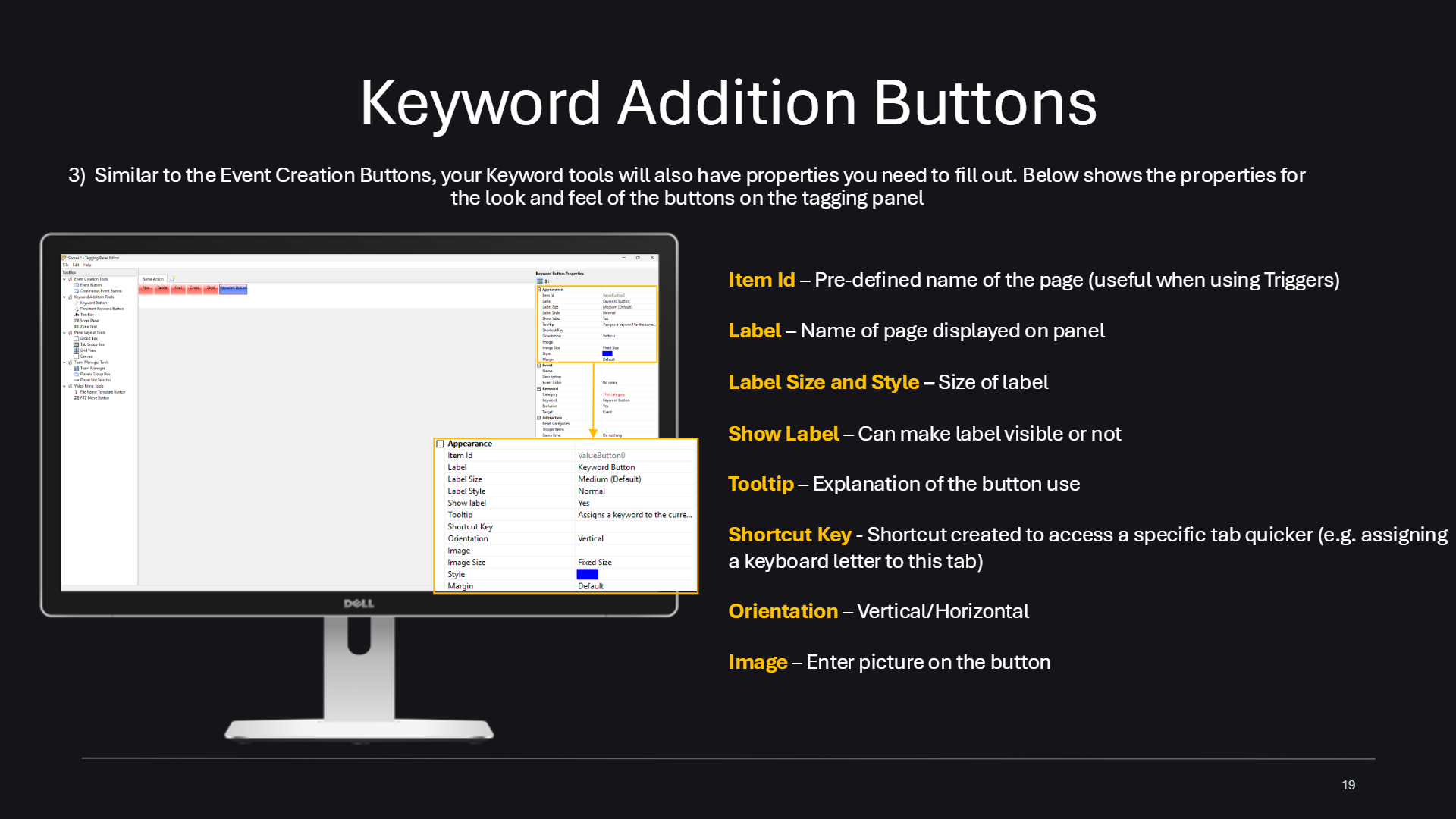
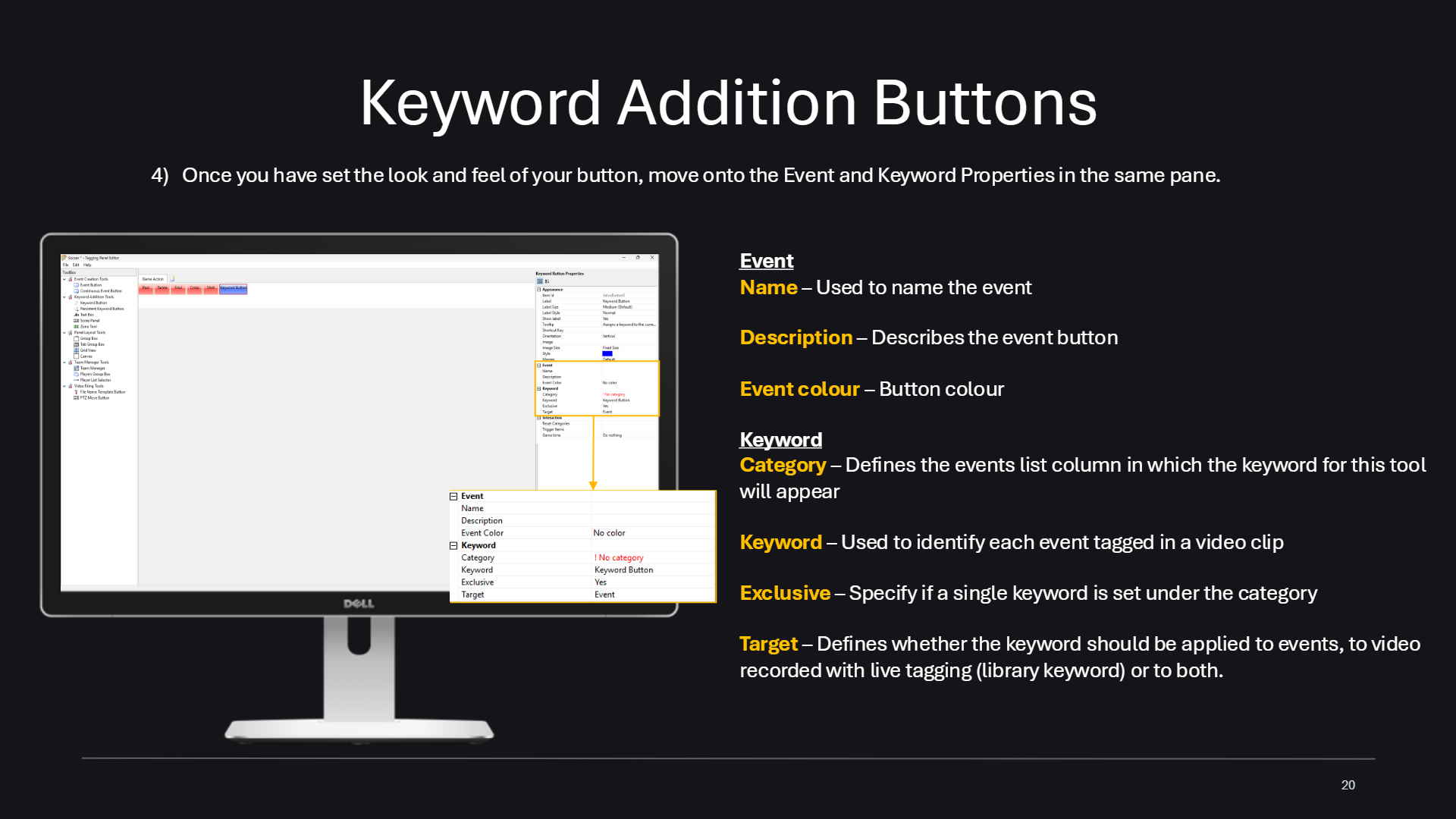
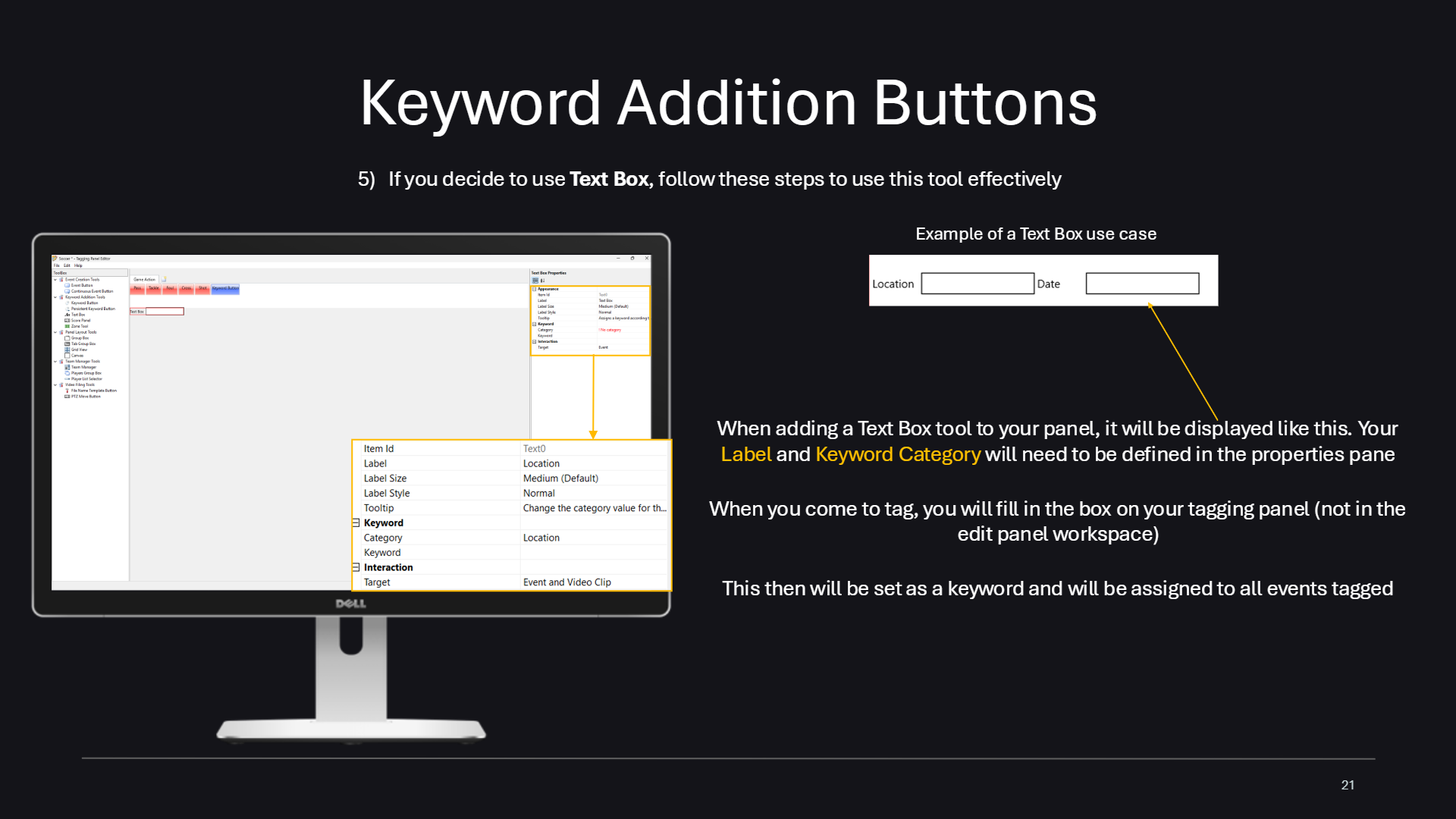
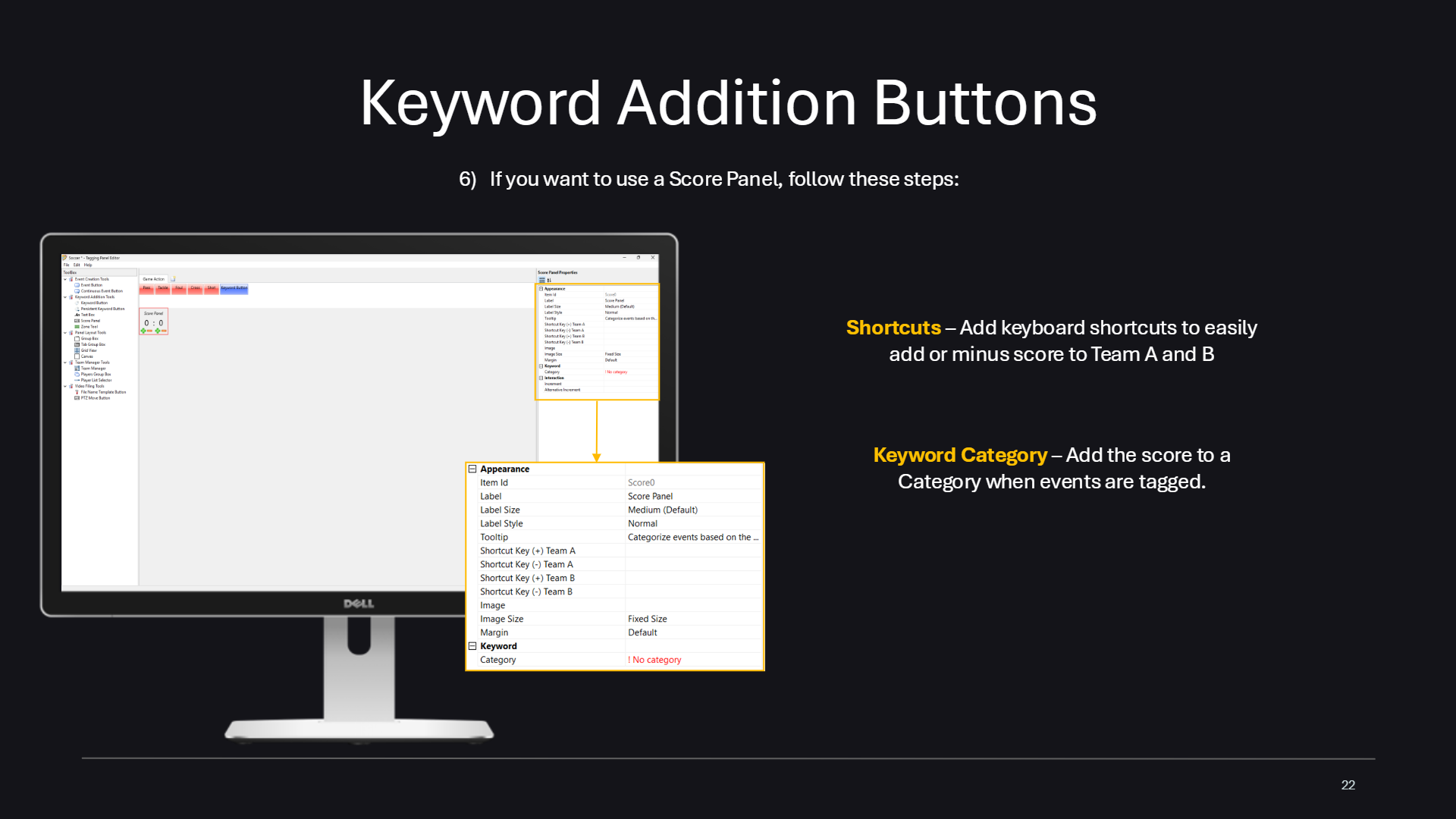
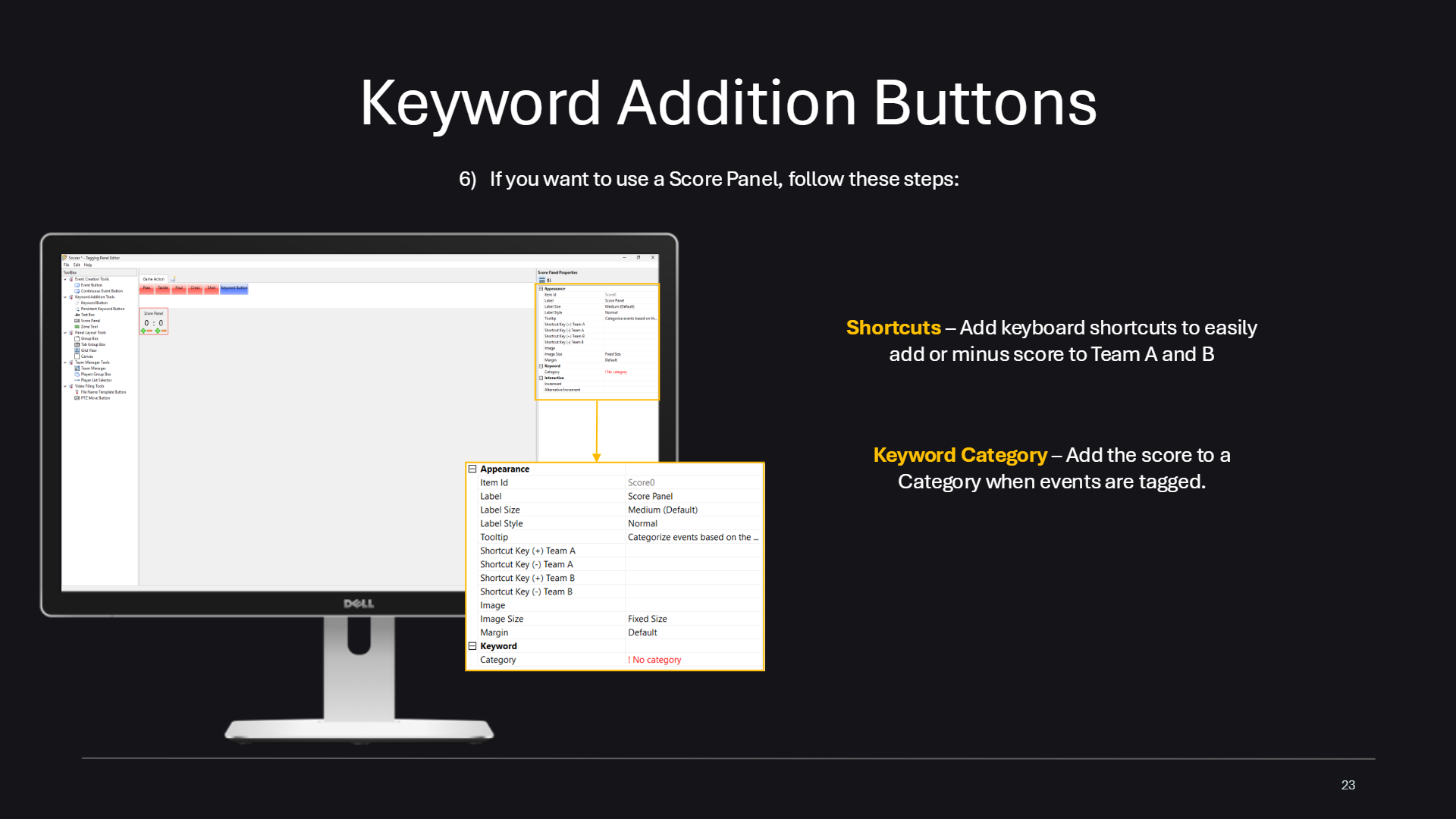
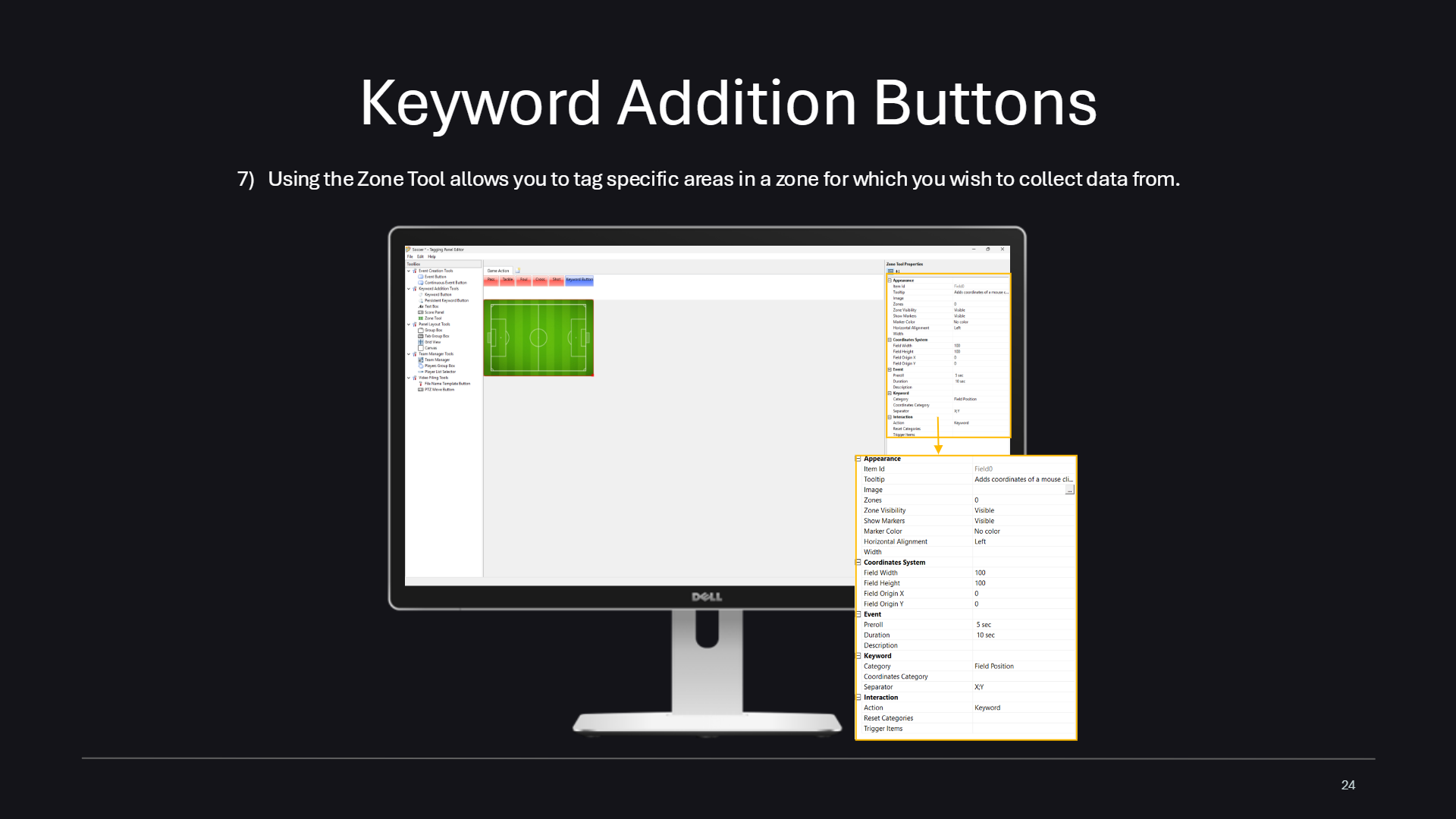
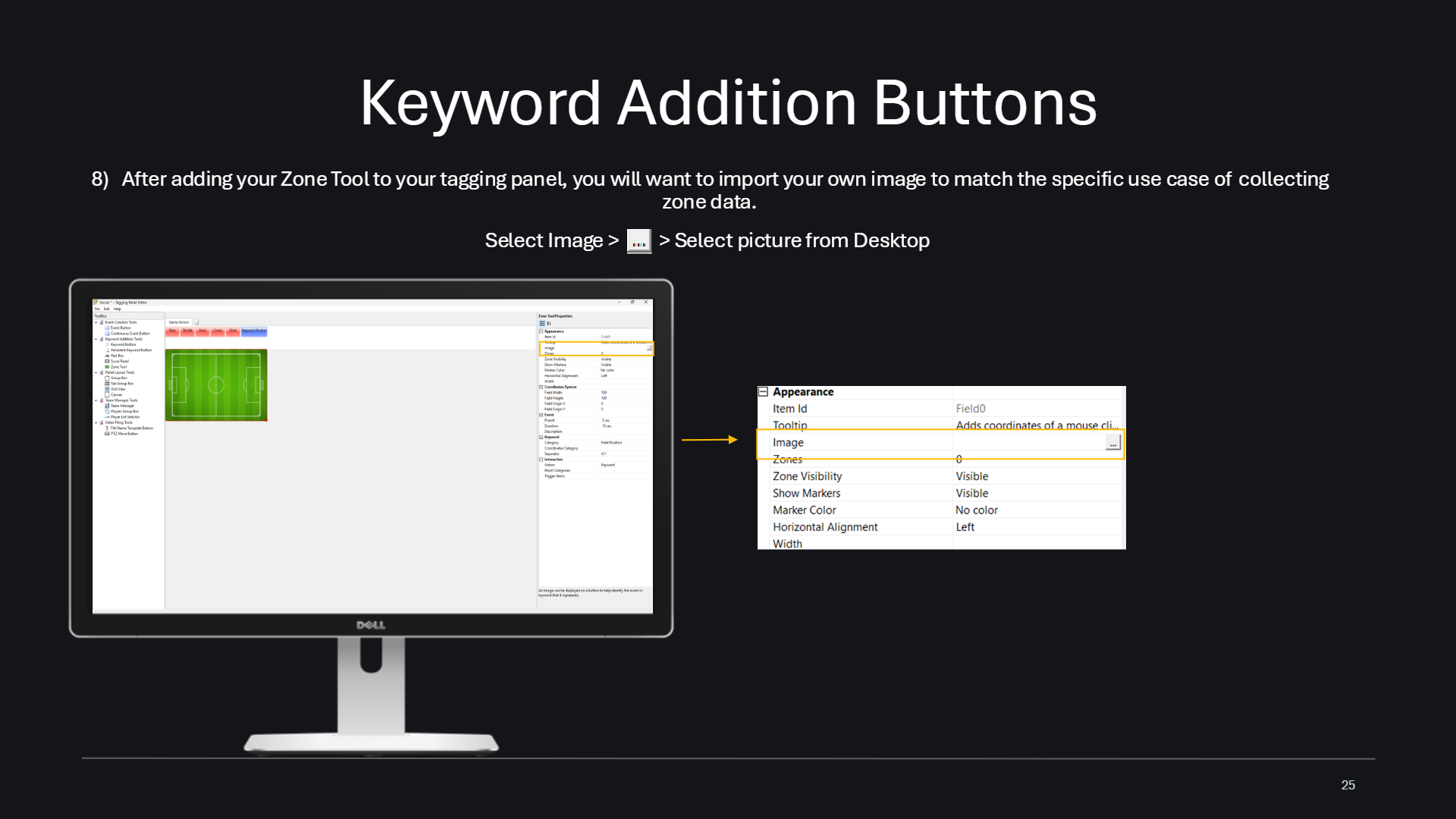
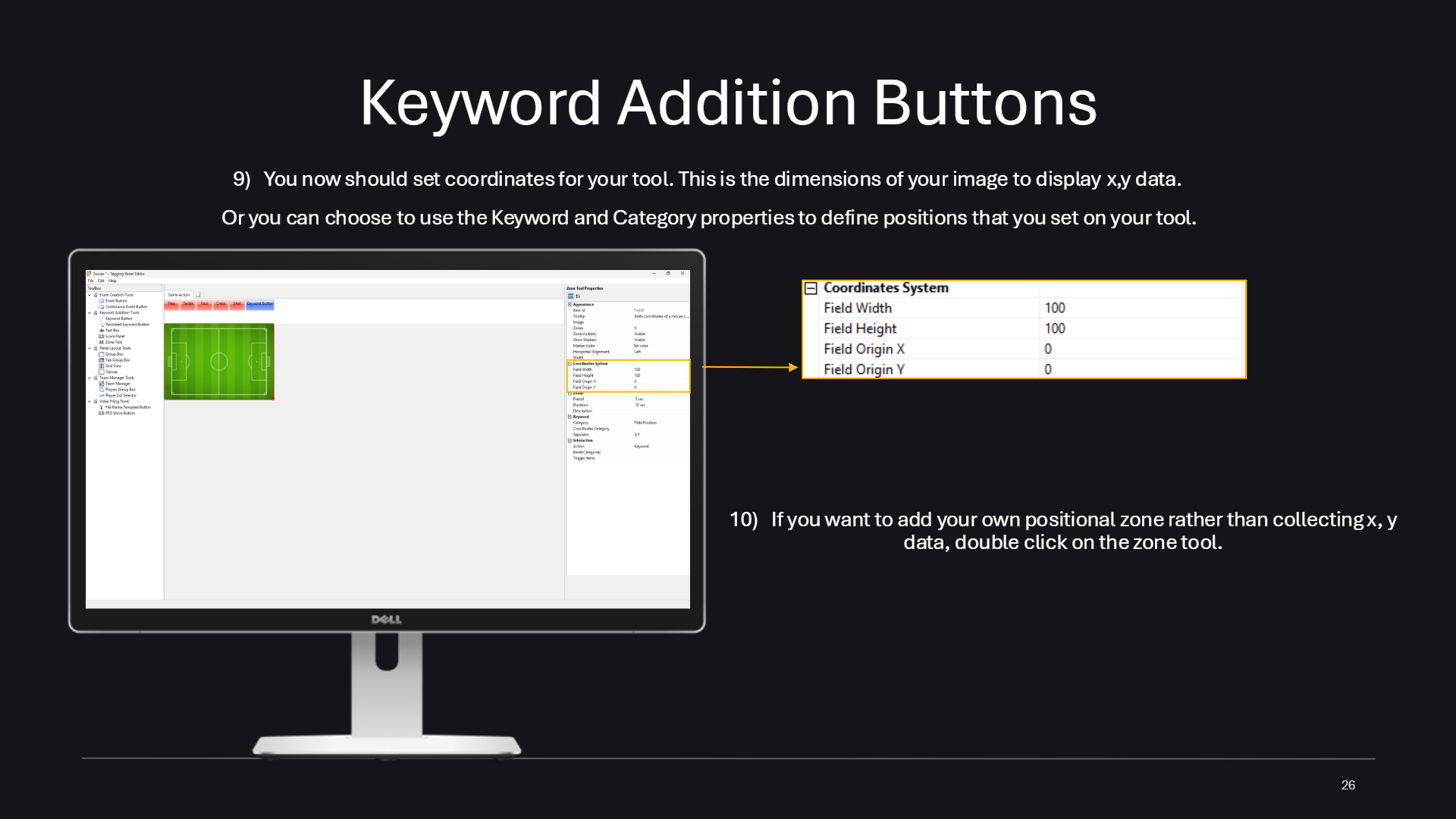
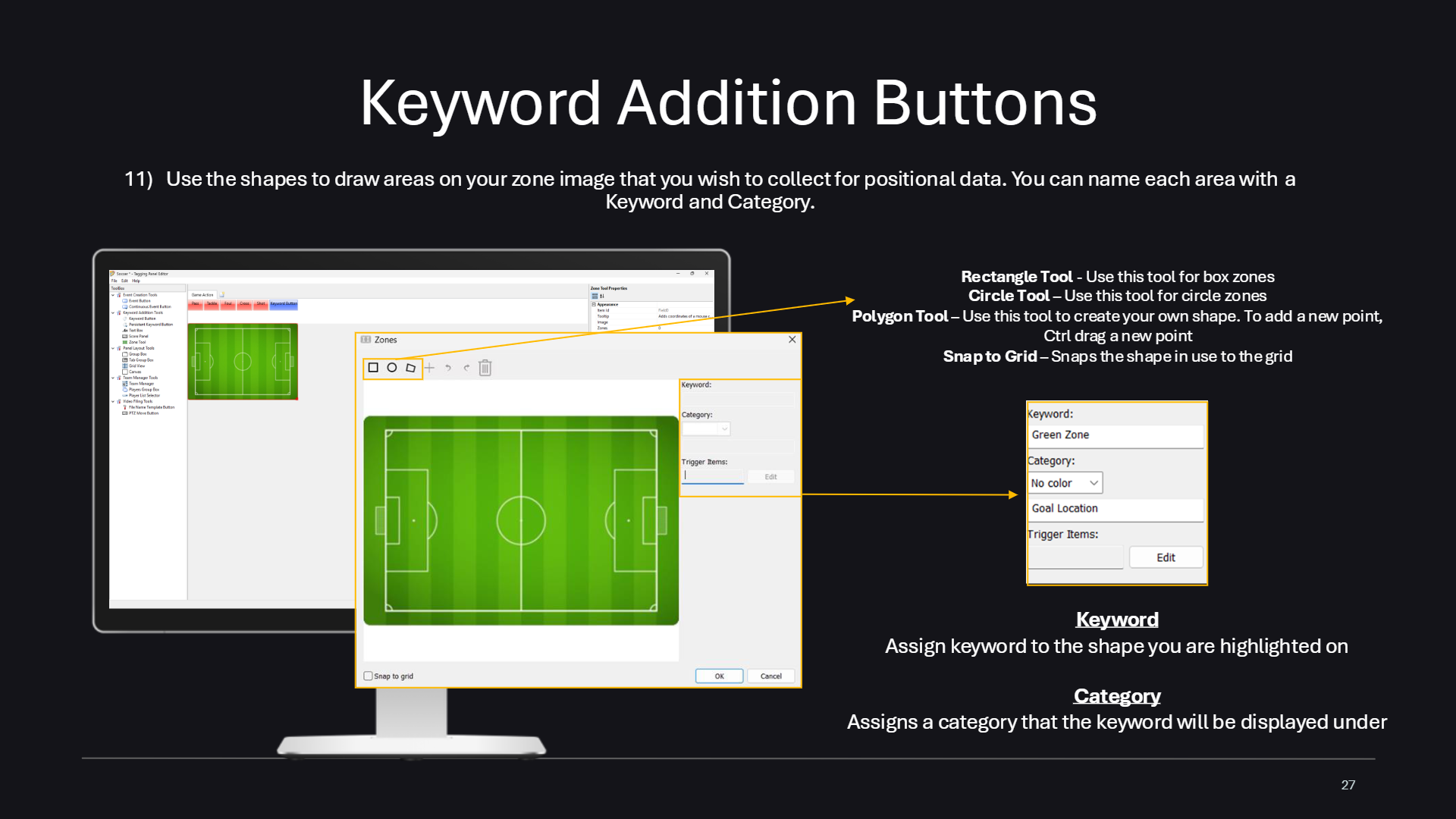
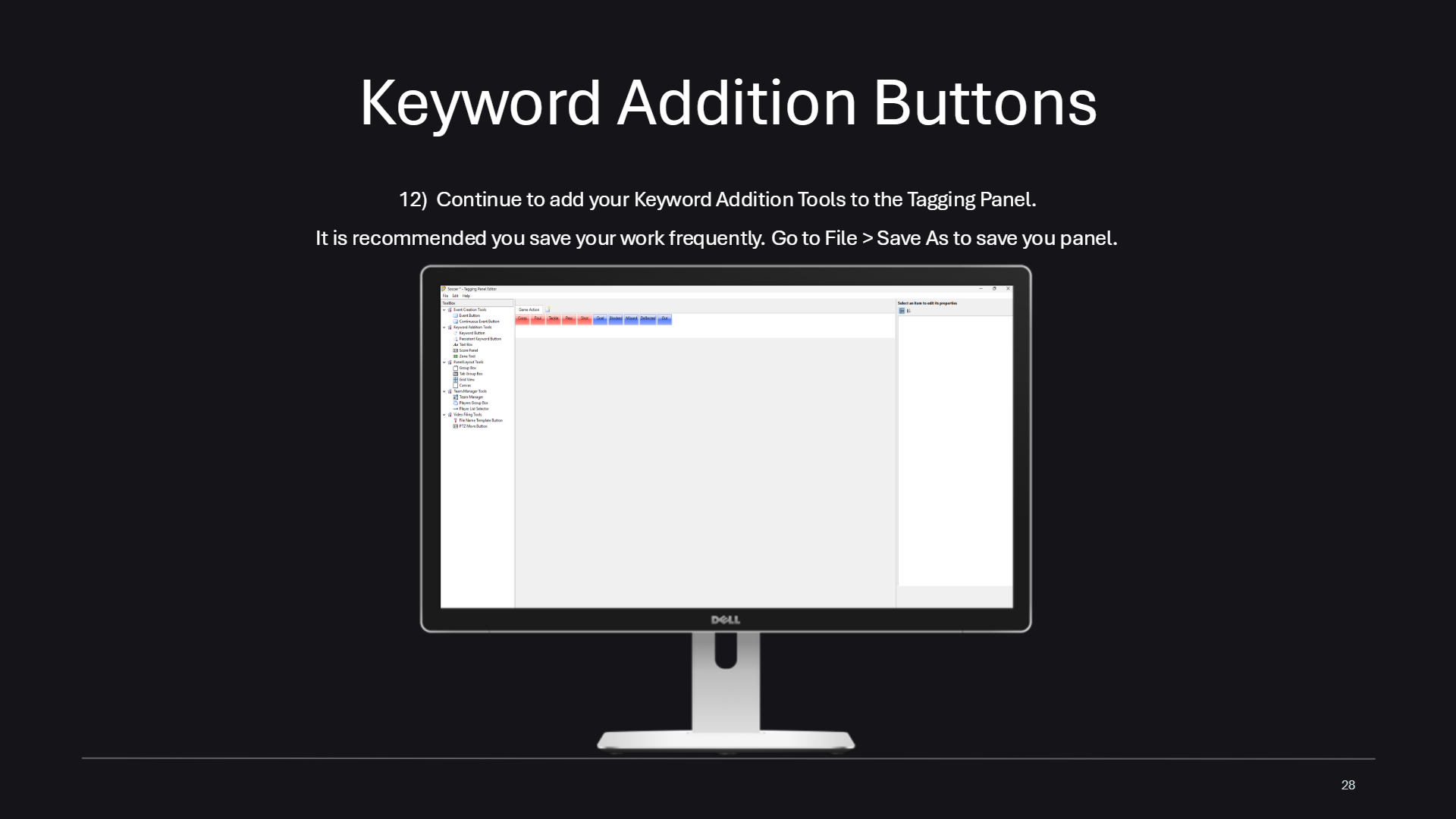
Keyword Addition Buttons – titleStep 1: after your Event Creation Buttons, add keyword tools to describe your events with extra informationStep 2: drag the Keyword Addition tools you need into the panel, for example Keyword buttonsStep 3: set the look and feel of each keyword tool in the Properties paneStep 4: fill in the Event and Keyword properties in the same paneStep 5: how to use the Text Box tool, with an example use caseStep 6: how to use a Score Panel, including keyboard shortcuts to add or remove pointsStep 6 (continued): Score Panel settingsStep 7: the Zone Tool lets you tag specific areas of a zone to collect positional dataStep 8: import your own image into the Zone Tool to match your use caseStep 9: set the coordinates of the zone image to display x,y dataStep 11: draw and name areas on the zone image to collect positional dataStep 12: keep adding Keyword Addition tools and save your work frequently