Learn how to manage and analyse multiple live video feeds simultaneously.
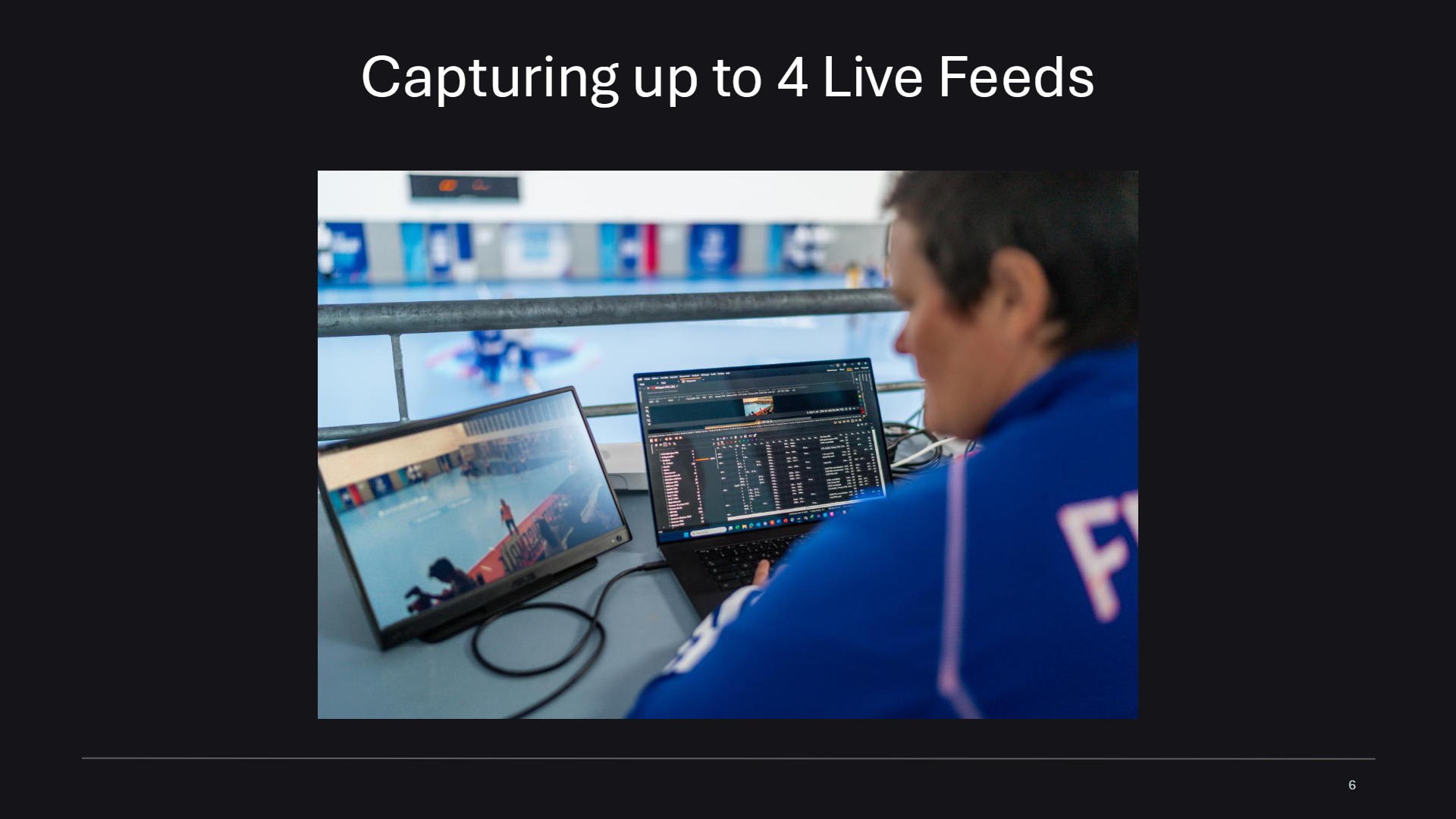
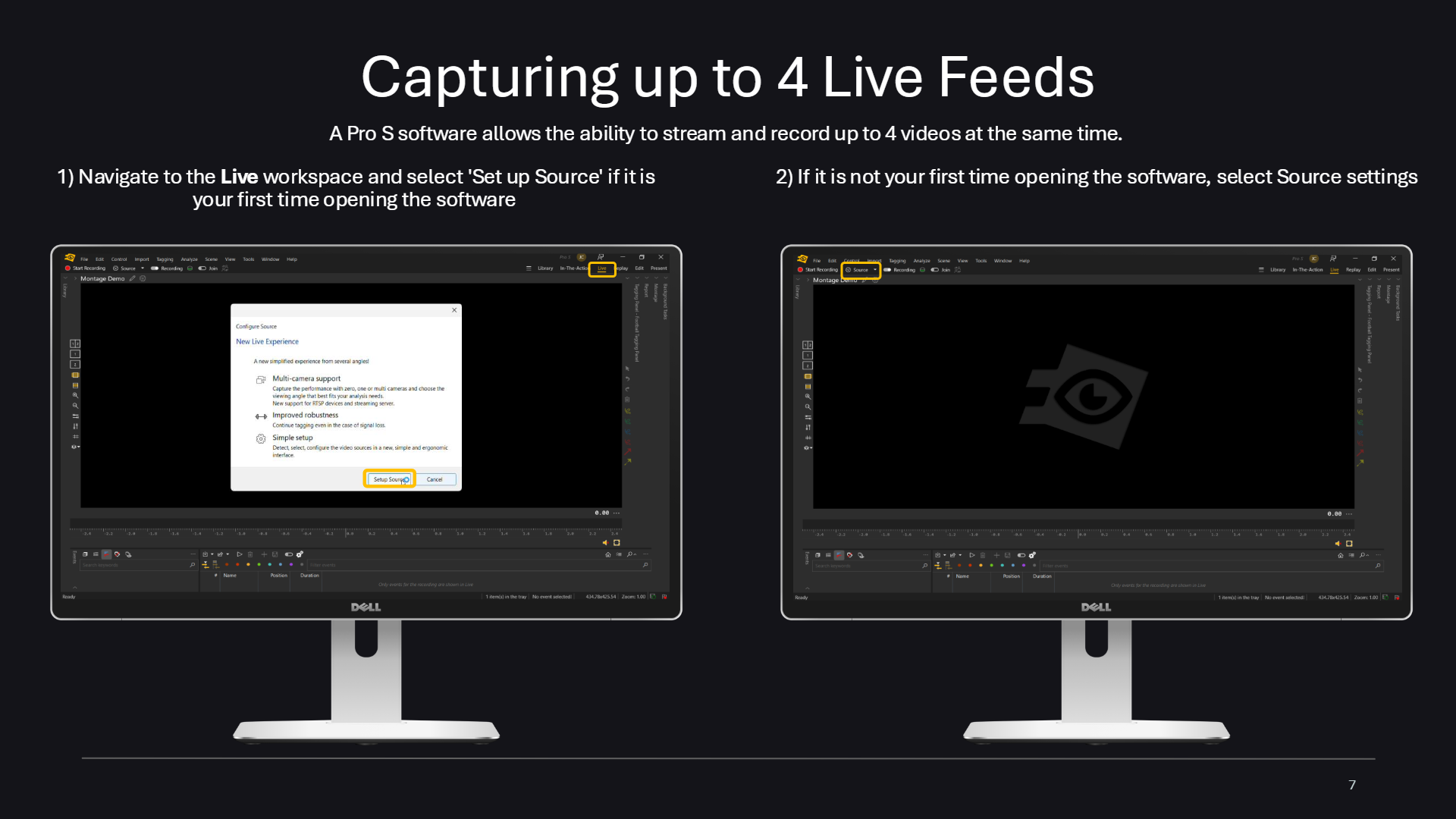
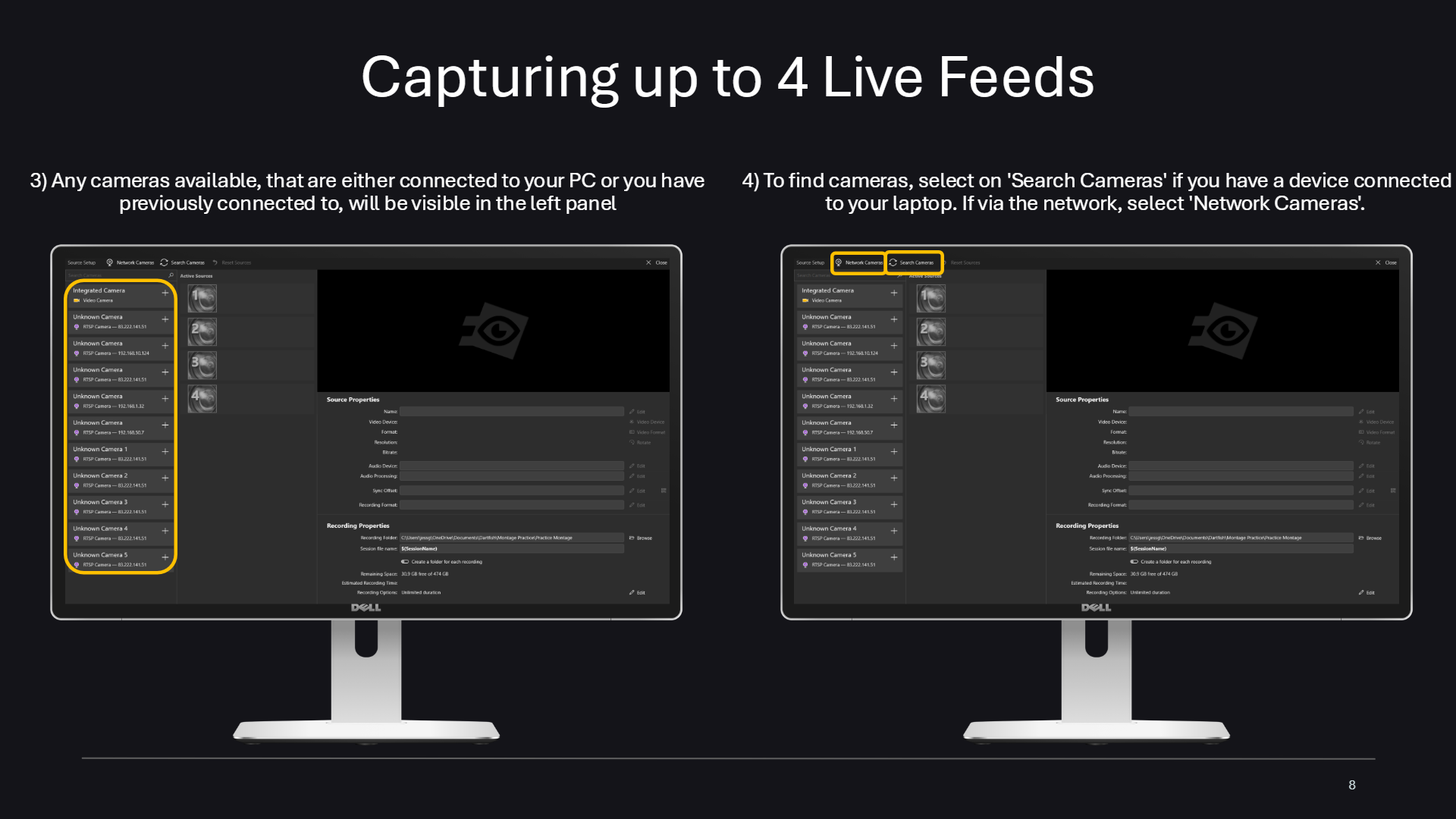
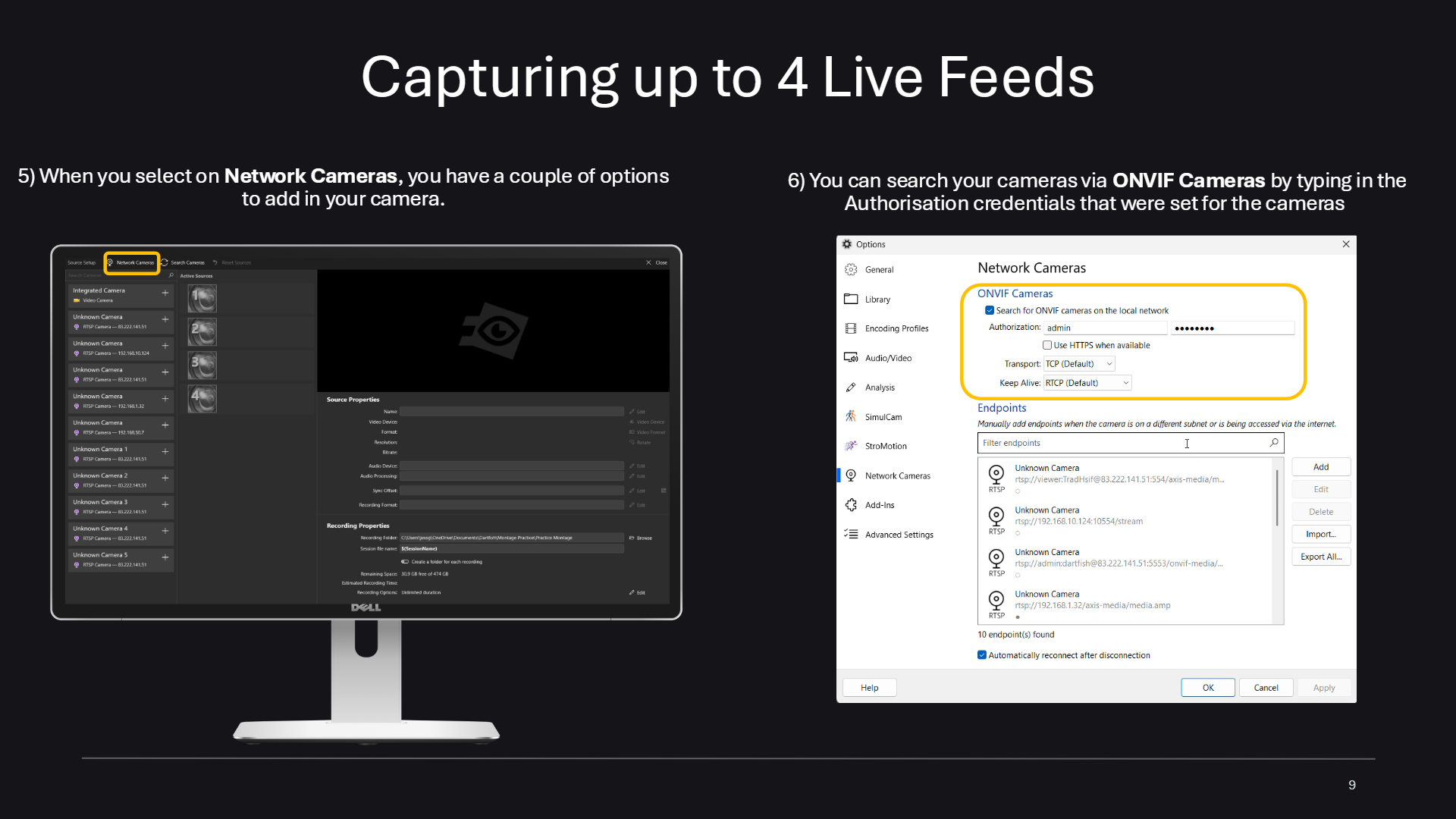
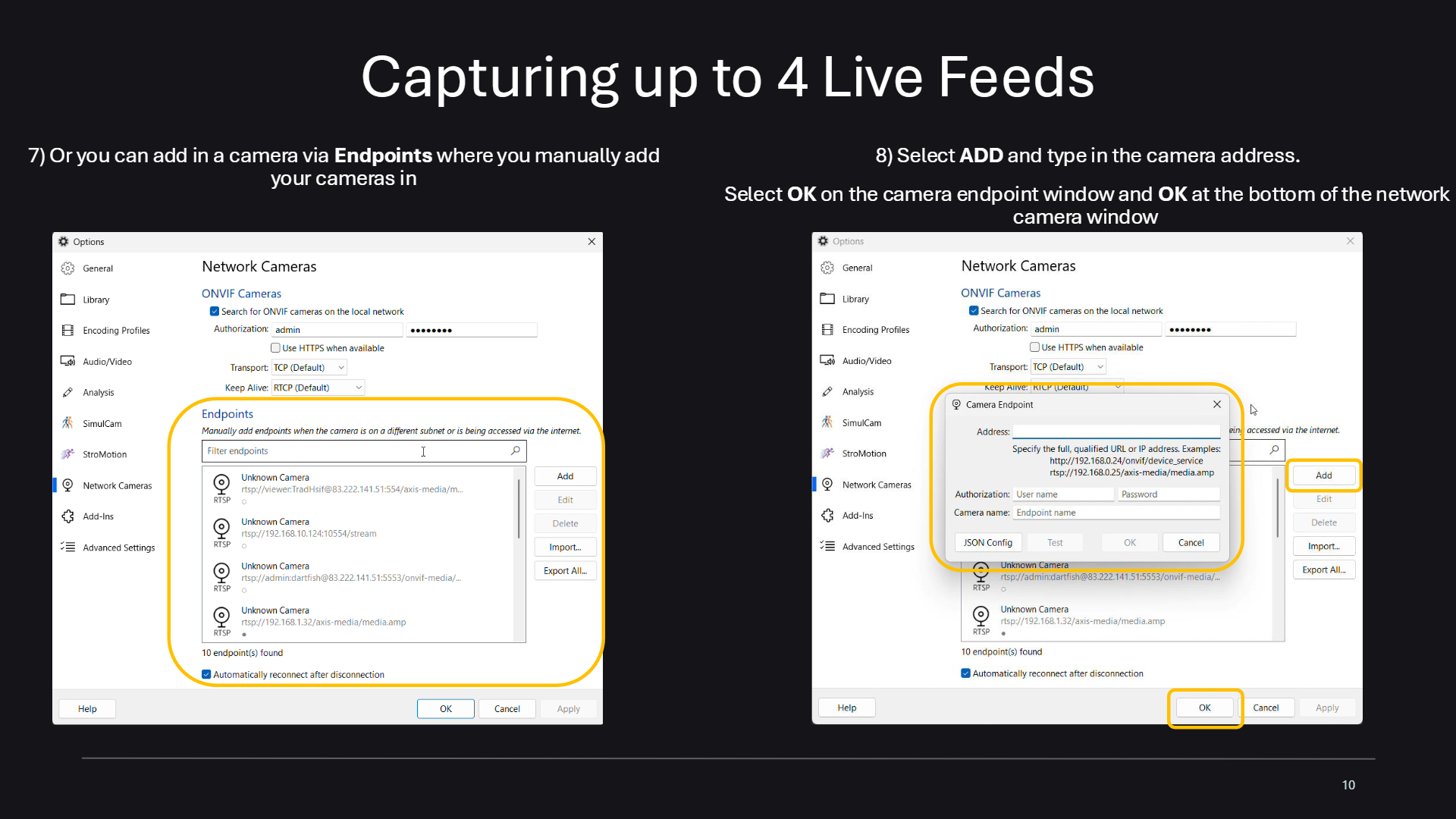
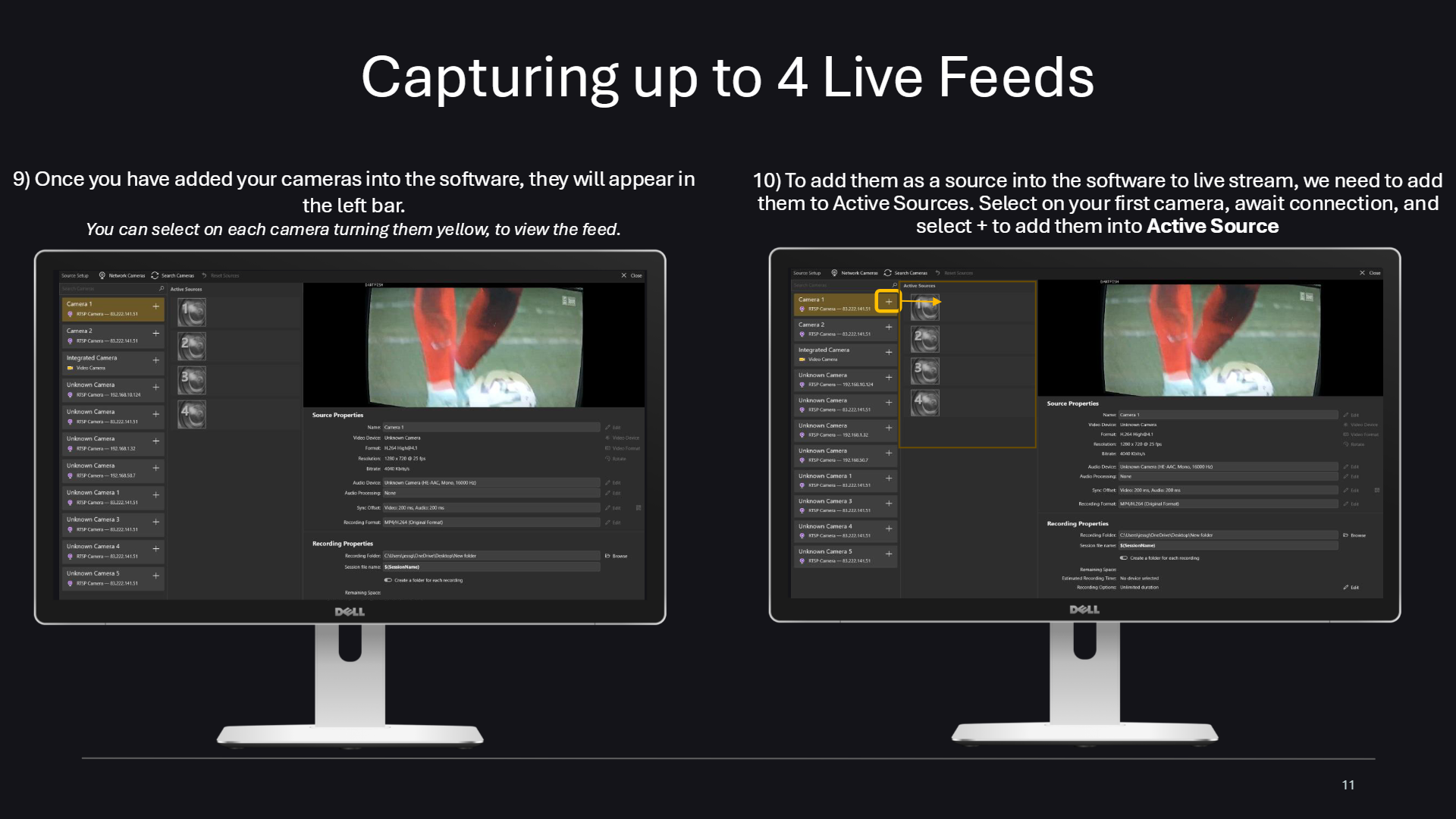
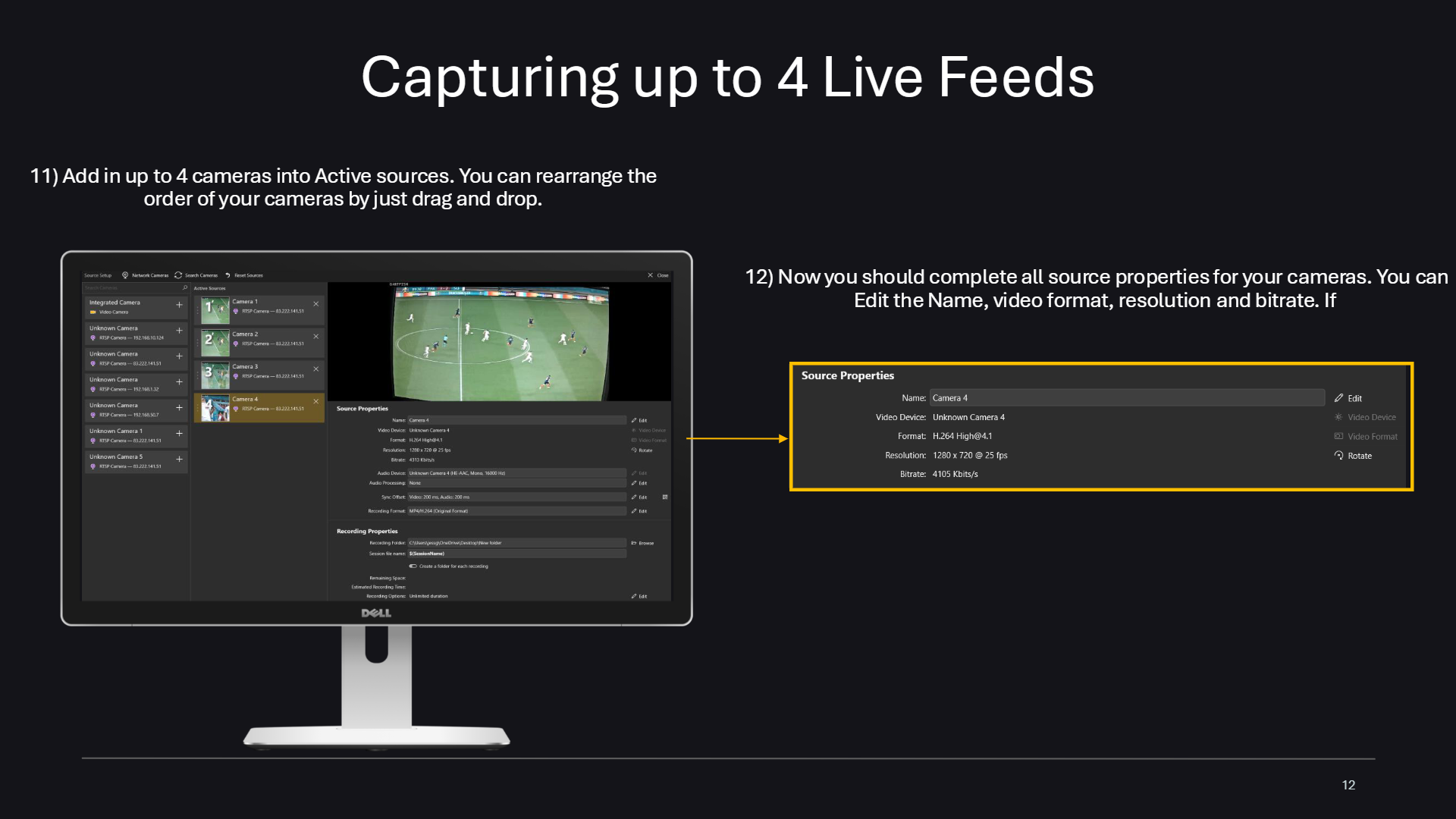
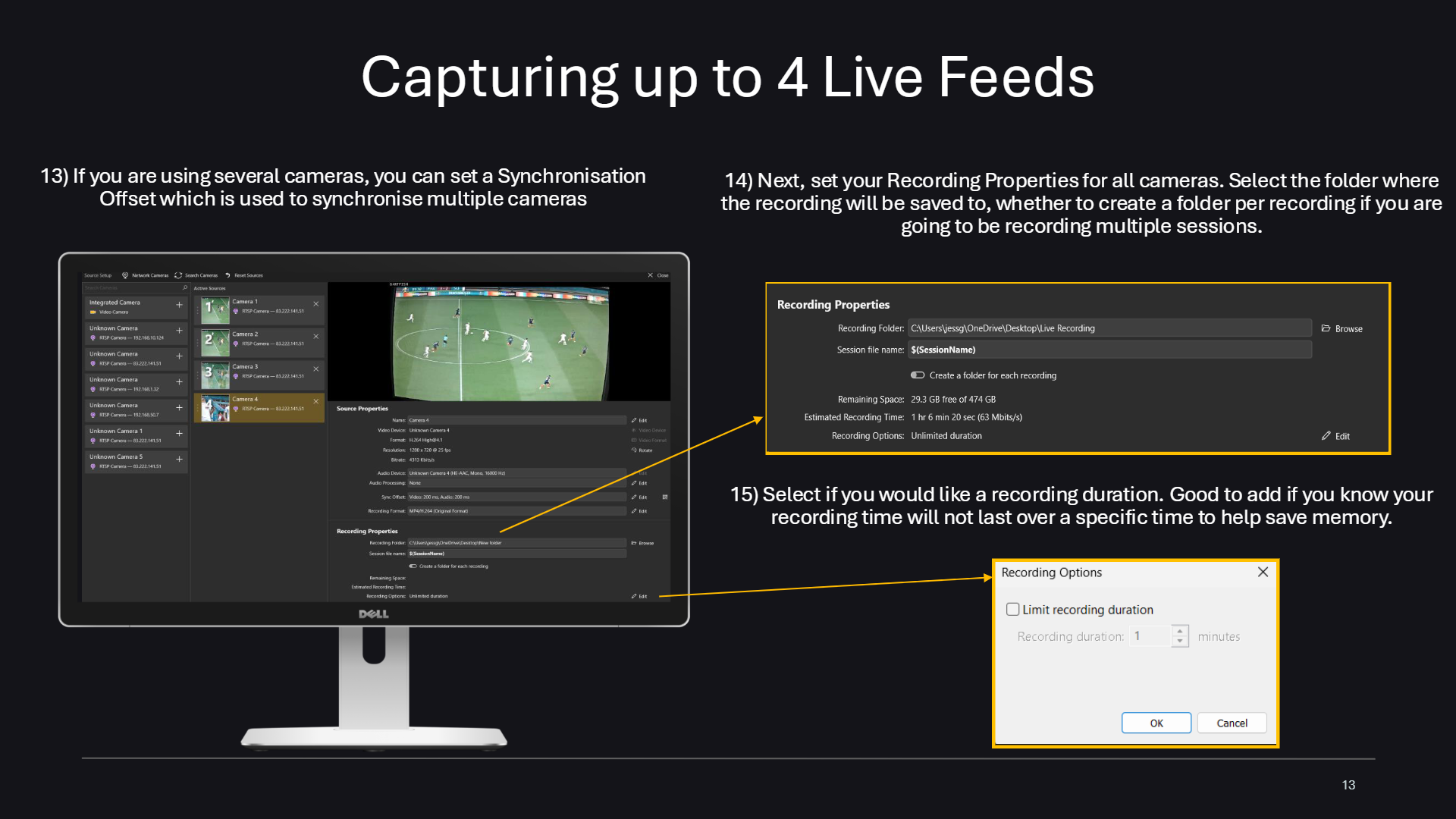
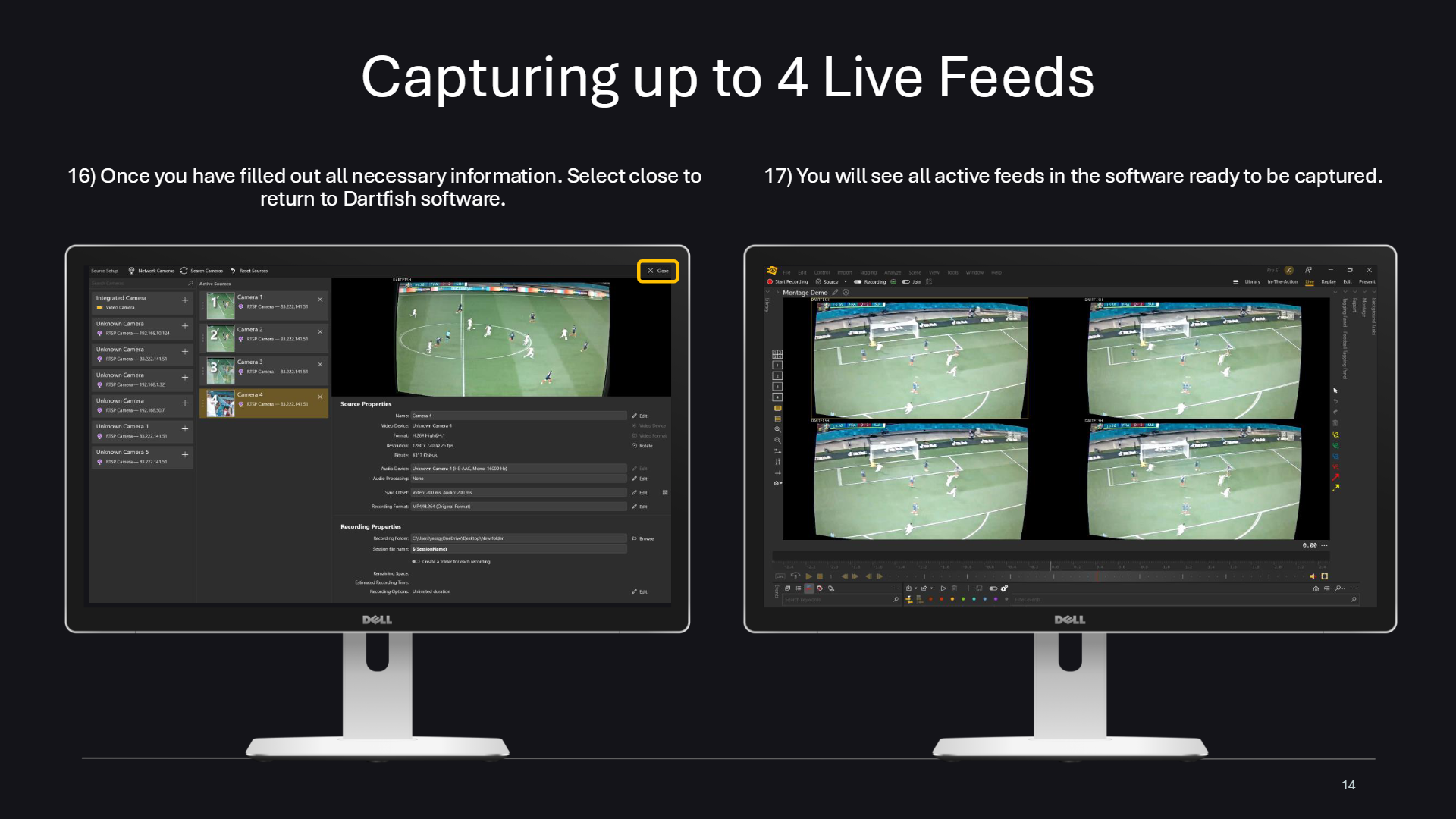
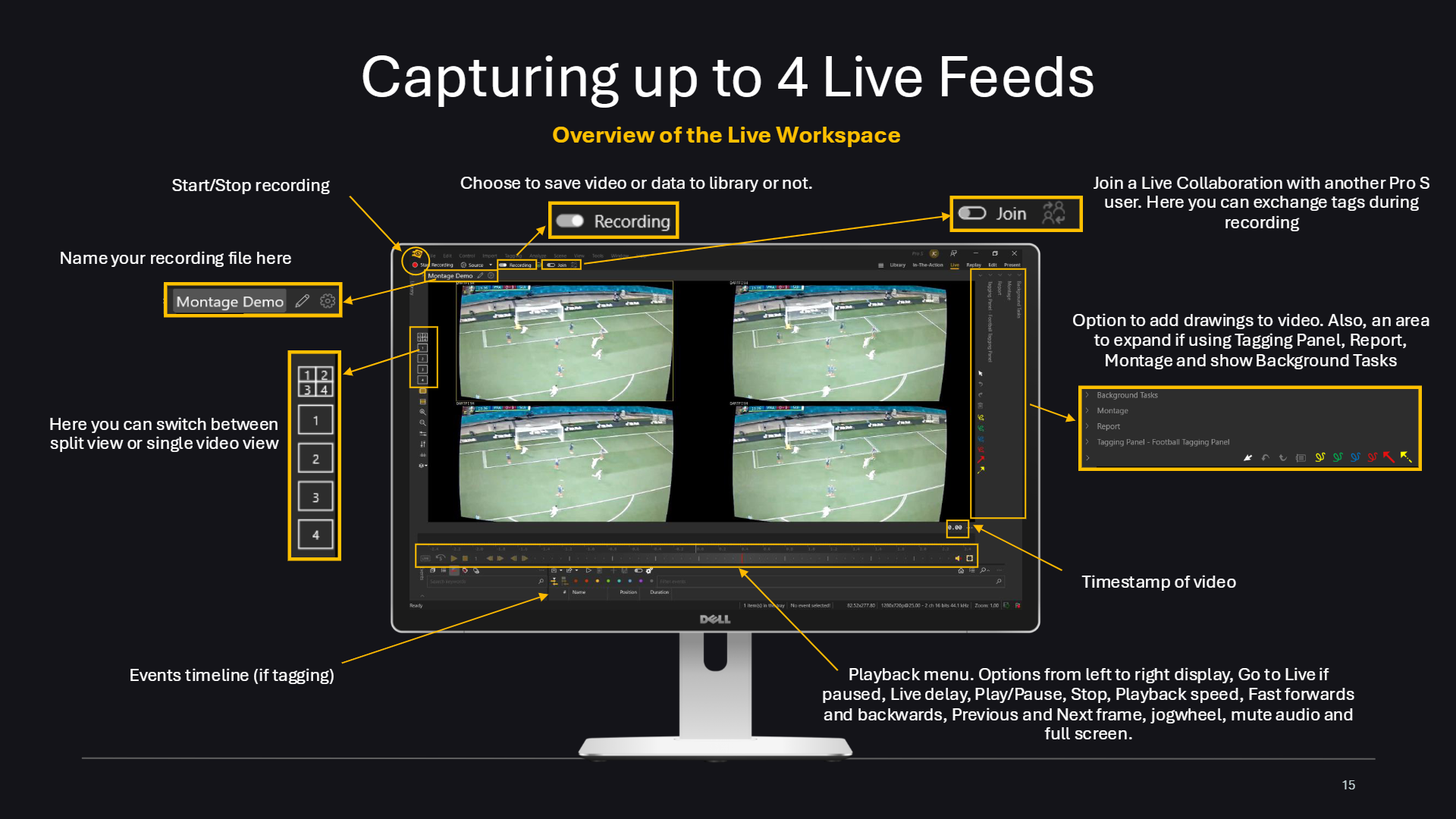
Capturing up to 4 Live Feeds – titleSteps 1 and 2: Pro S records up to 4 feeds; go to the Live workspace and select Set up Source, or Source settingsSteps 3 and 4: available cameras are listed; use Search Cameras for a connected device or Network CamerasSteps 5 and 6: with Network Cameras, search cameras via ONVIF using their credentialsSteps 7 and 8: or add a camera manually via Endpoints: click ADD, type the camera address and confirmSteps 9 and 10: your cameras appear in the left bar; add them to Active SourcesSteps 11 and 12: add up to 4 cameras to Active Sources, reorder them and set their name, format, resolution and bitrateSteps 13 to 15: set a synchronisation offset for several cameras, then the recording properties and folderSteps 16 and 17: close the window; all active feeds appear in the software, ready to captureOverview of the Live workspace: start/stop recording, save options, Live Collaboration, file name and drawings