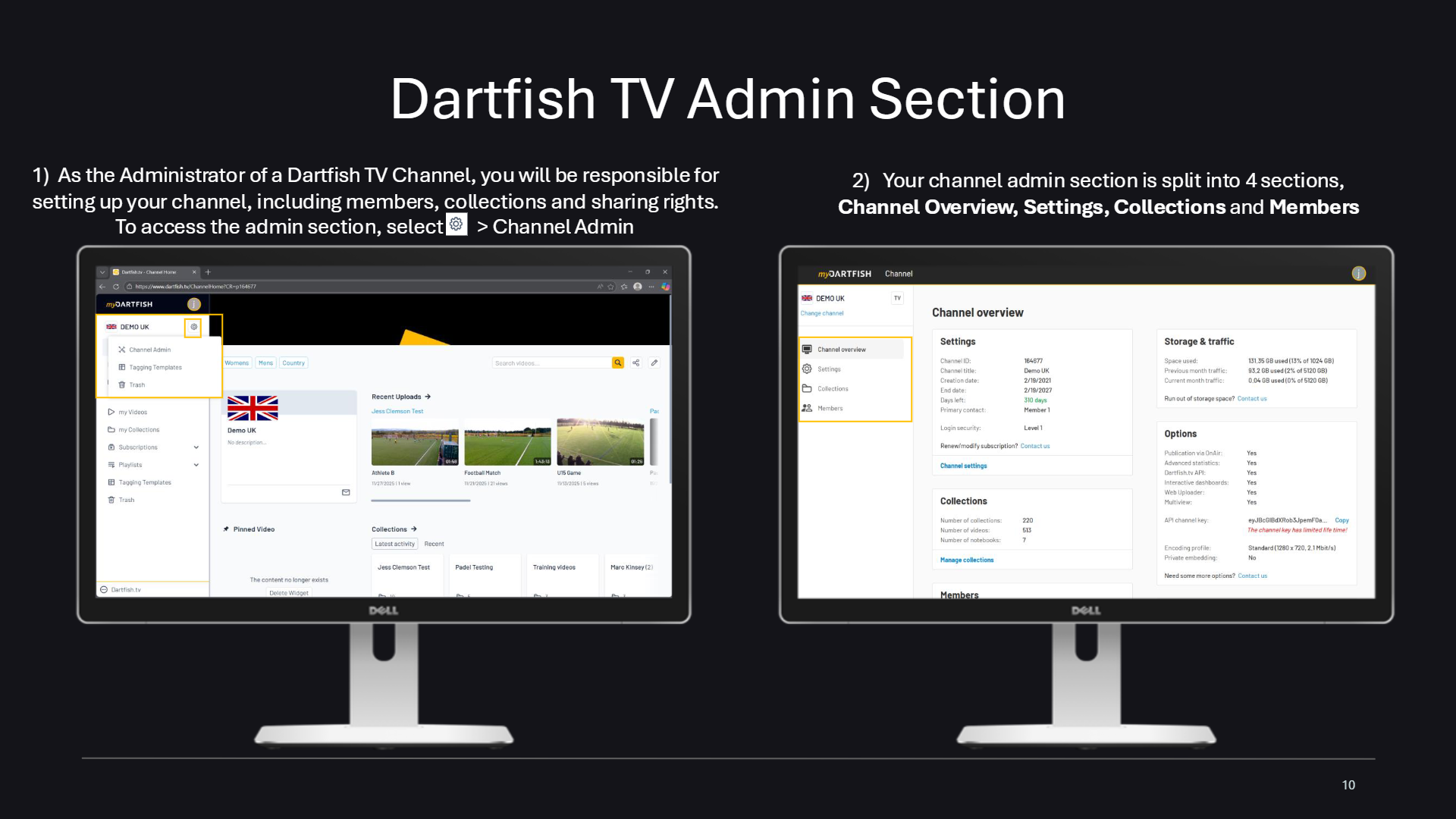
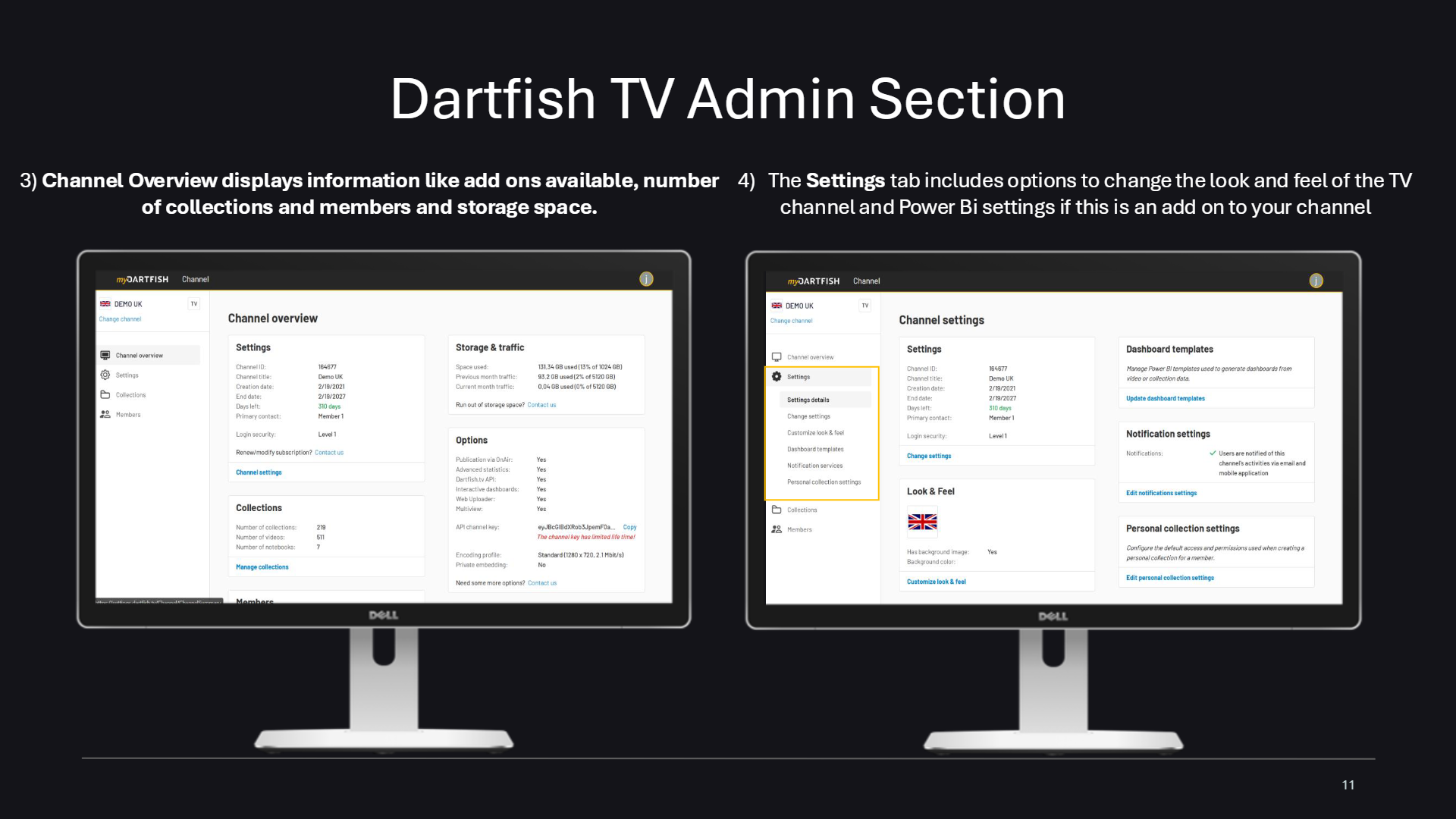
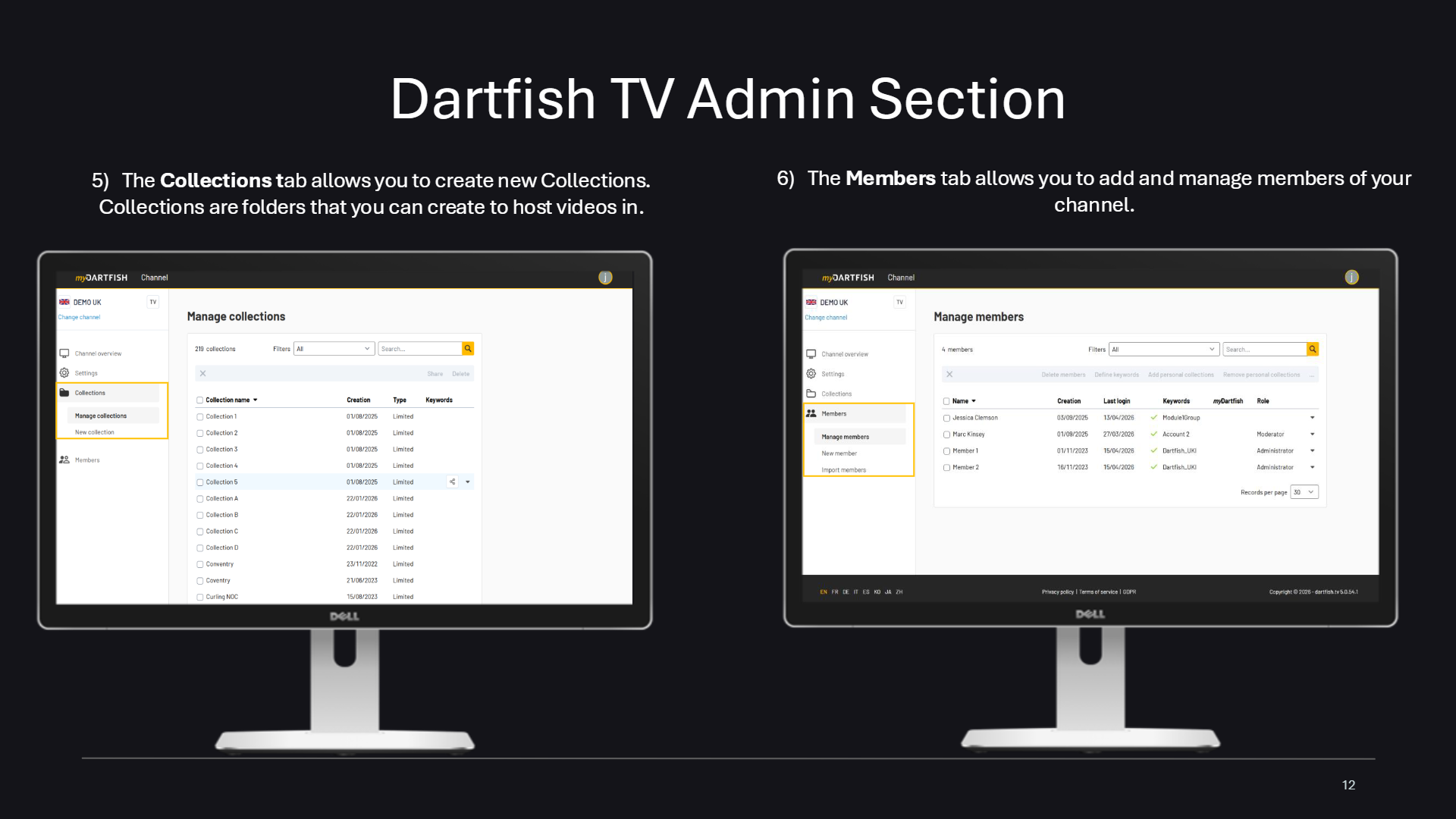
Learn how to use administrative tools to manage users, permissions, and content.

Modified on: Tue, 17 Nov, 2026 at 1:15 PM
Learn how to use administrative tools to manage users, permissions, and content.
Did you find it helpful? Yes No
Send feedback